WMS Copilot
The WMS Copilot is a chat assistant. Ask a question in your own words — "Which lots expire in the next 30 days?" — and it looks up the answer in PrismaWMS using the same tools and the same permissions you have. It shows which tool it used and the raw data, then writes a short answer. Copilot can also prepare a change (for example create a document), but every change waits for you to approve it before anything happens.
Where: AI & Automation → WMS Copilot, or the Ask Copilot button at the top of every screen.
How a question is answered
The Copilot screen
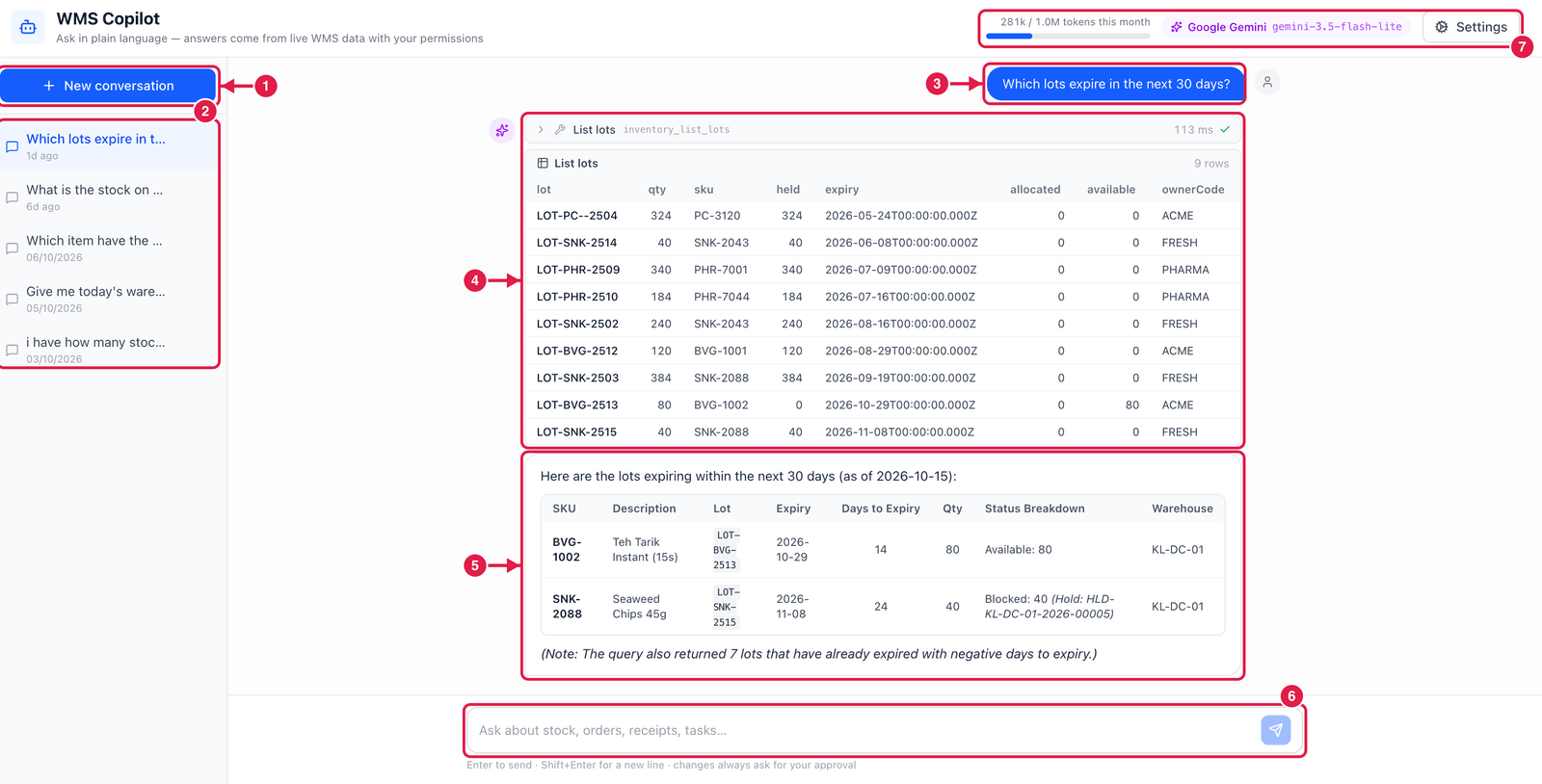
- New conversation — start fresh.
- Conversations — your earlier conversations; click one to continue it.
- Your question.
- Tool call and its result — which WMS tool Copilot used (here List lots), how long it took, and the raw rows it got back. Click the arrow to fold it.
- The answer — Copilot's summary, here the two lots that expire within 30 days, and a note about lots that are already expired.
- Ask box — type and press Enter (Shift+Enter for a new line).
- Usage and model — tokens used this month against the monthly limit, the language model in use, and Settings (for administrators: provider, model and limits).
Good to know
- Copilot only sees what you may see. If you have no access to a module, Copilot cannot read it either.
- Answers are built from live data at the moment you ask. If something looks odd, open the screen it points to and check.
- Your questions and the data Copilot reads are sent to the language model provider configured in Settings. Ask your administrator which provider your company uses.
Ask good questions
Be specific: name the warehouse, the item or the time span. "Show open sales orders for KL-DC-01 that are late" works better than "any problems?".