Demand Forecast
The Demand Forecast looks at how much of each item you actually shipped per day, predicts the coming days, and works out safety stock, a reorder point and a suggested order quantity. Items that will run out before a new delivery could arrive are flagged as stockout risk. You can turn suggestions into purchase orders with the item's preferred supplier.
Where: AI & Automation → Demand Forecast
The screen
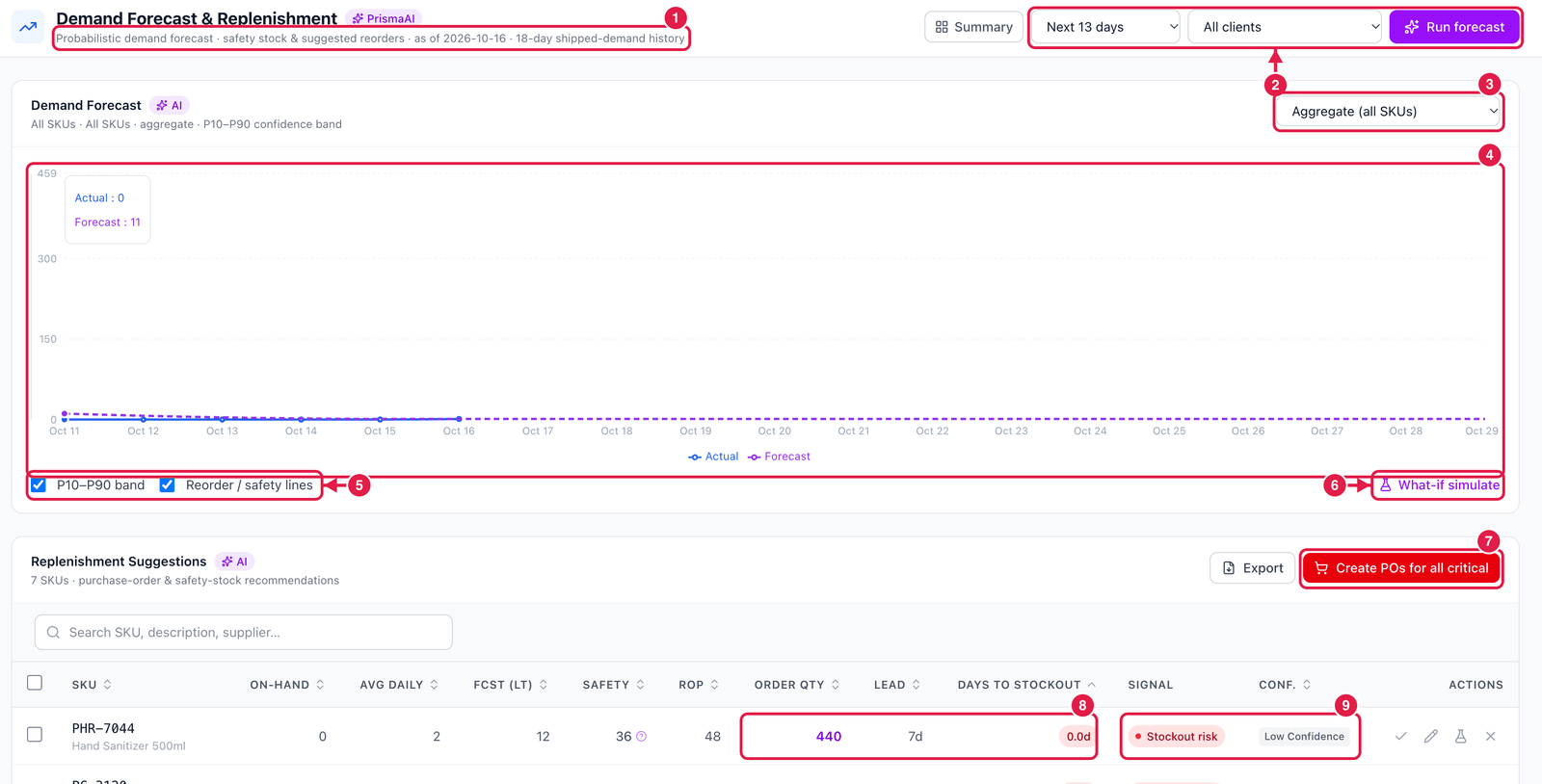
- Basis — the date of the forecast and how many days of shipped history it is based on. Few days of history means a less reliable forecast.
- Horizon (how many days ahead), client filter and Run forecast.
- Item — the chart for all items together, or for one SKU.
- Chart — actual shipped quantity (solid) and forecast (dashed), with the P10–P90 band (the range the demand will most likely fall in).
- Show the band and the reorder / safety-stock lines.
- What-if simulate — try other numbers (demand change, lead time) without changing anything.
- Create POs for all critical — create purchase orders for every stockout-risk item at once.
- Order qty, lead time and days to stockout — the suggestion and how urgent it is.
- Signal and confidence — Stockout risk, Reorder and so on, and how reliable the forecast is for this item (Low confidence when there is little history).
On each row: Accept — create PO, Adjust qty, Simulate (what-if) and Dismiss.
A purchase order can only be created when the item has a supplier in the Item master. Items without one are reported back and skipped.
The forecast's accuracy (WAPE — the average error, lower is better) is measured by back-testing on your own history and shown in the Model Center once there is enough data.