Slotting Optimizer
Slotting means deciding which item lives in which bin. Items that are picked often should be close to dispatch and easy to reach; slow items can go further away. The Slotting Optimizer counts the real picks of the last 90 days per item and per bin, ranks items into A / B / C classes, and suggests moves: a fast mover in a far bin goes closer, a slow mover in a prime pick face makes room. Accepting a move posts a real bin-to-bin transfer.
Where: AI & Automation → Slotting Optimizer
The screen
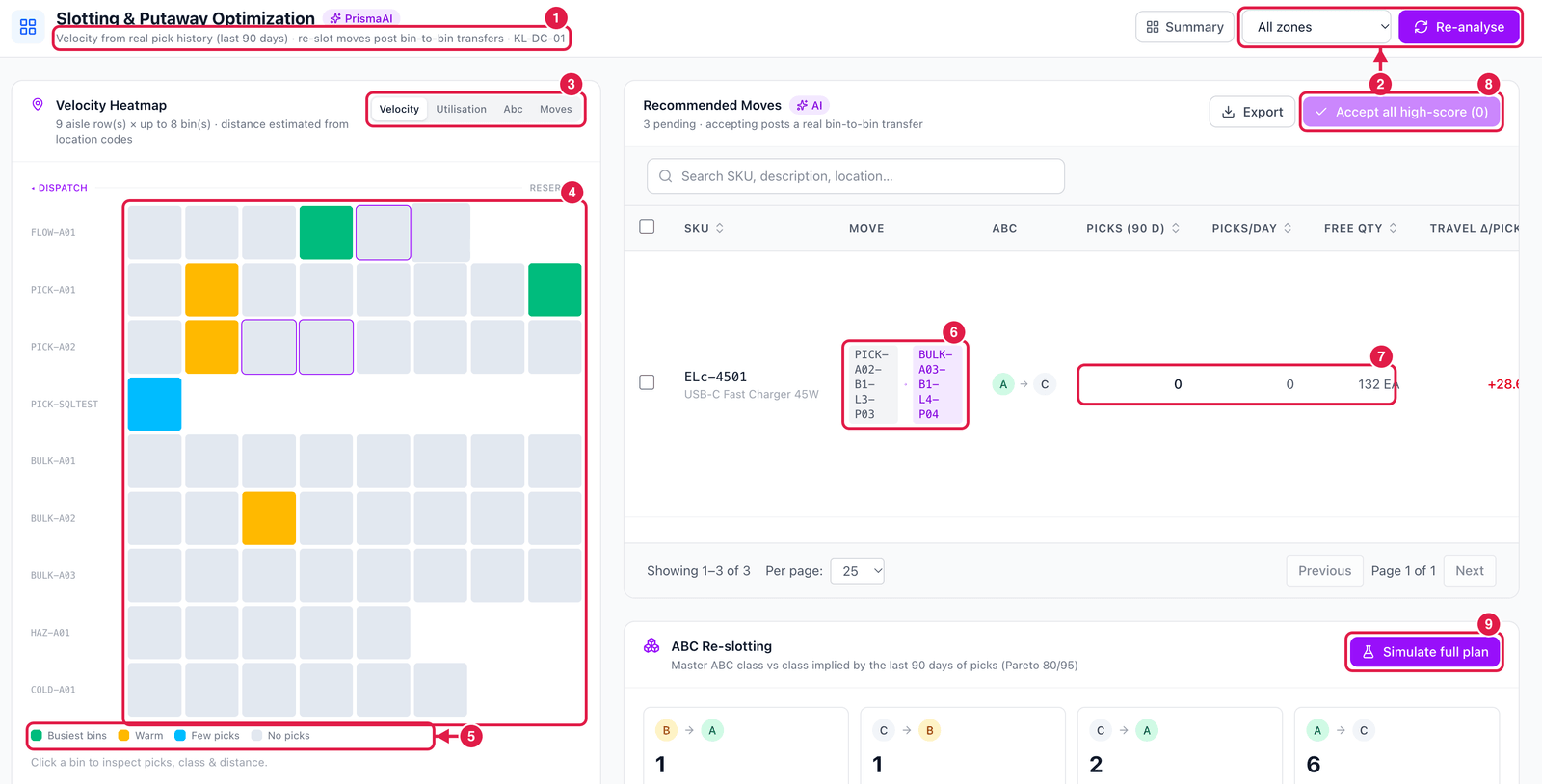
- Basis — velocity from the real pick history of the last 90 days, for the shown warehouse.
- Zone filter and Re-analyse (run the engine again now).
- Heatmap views — Velocity (how busy each bin is), Utilisation (how full), ABC (class of the item in it) and Moves (bins involved in a suggested move).
- Heatmap — each square is a bin, rows are aisles; dispatch is on the left. Click a bin to see its picks, class and distance.
- Legend — busiest bins, warm, few picks, no picks.
- Move — from which bin to which bin.
- Picks (90 d), picks / day and free qty — the evidence, and how much stock would move (only free, unreserved stock is moved). Travel Δ / pick shows the walking distance saved or added per pick.
- Accept all high-score — accept every move with a high score at once.
- Simulate full plan — see the effect of all moves together, without changing anything.
On each move row: Accept move (post transfer), Simulate (what would change) and Dismiss.
Accepting a move posts the transfer at once, but someone still has to carry the stock. Accept moves when the pickers are not busy in those aisles — or print the list with Export and do them together.