Cross-Dock
Cross-docking means goods that just arrived go straight to an outbound order instead of being stored and picked later. PrismaWMS looks at what has arrived (or is about to arrive on an ASN) and at the open orders waiting for the same item, and lists the opportunities. You plan a cross-dock, then execute it: the stock moves from the receiving bin to the outbound staging area, already reserved and picked for the order.
Where: Inbound → Cross-Dock
How cross-docking works
A match is only offered when the warehouse, owner and SKU are the same, the lot and shelf-life rules of the order are respected, and the customer is not on hold. Orders with the earliest ship date and highest priority come first.
Opportunities
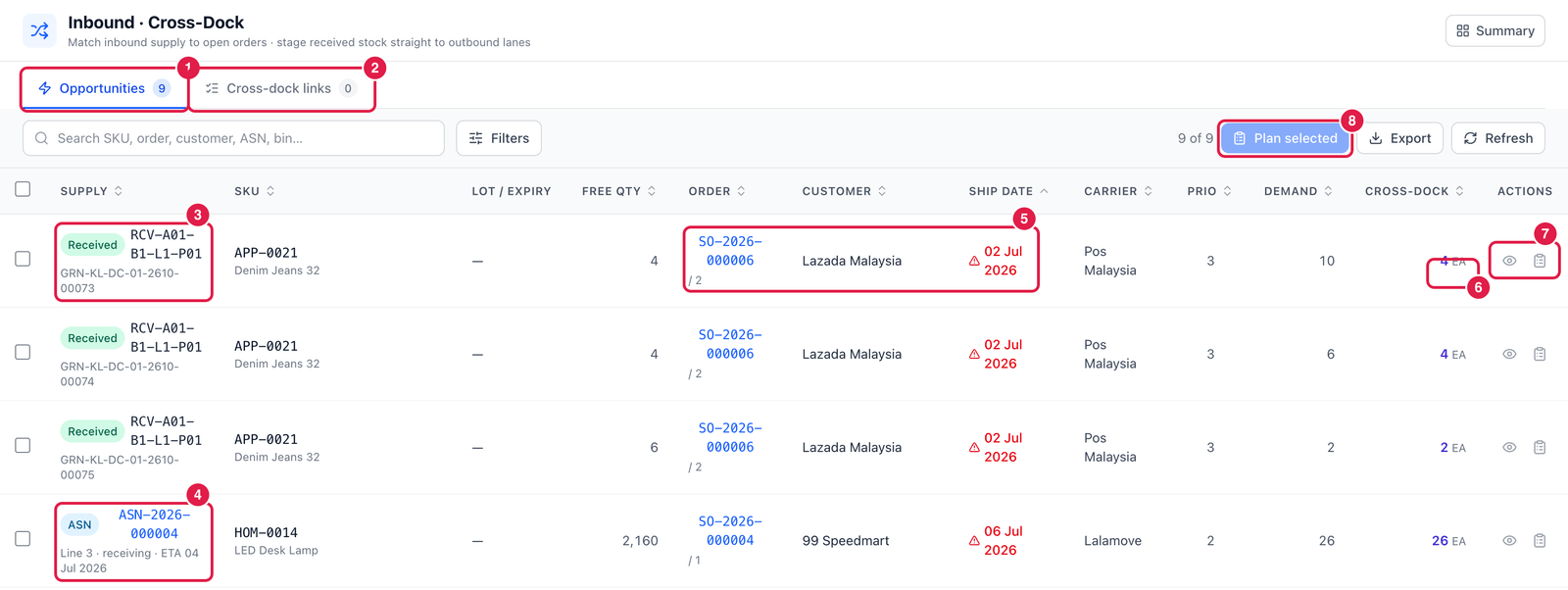
- Opportunities — supply that can serve an open order right now.
- Cross-dock links — cross-docks you have planned or executed.
- Supply — Received — stock already received and still in the receiving bin (with its GRN).
- Supply — ASN — an ASN line that has not arrived yet; you can plan it in advance.
- Order — the sales order line, the customer, and the ship date (a red warning sign means the ship date is already due).
- Cross-dock — the quantity that can be cross-docked: the lower of the free supply and the open demand.
- Actions — Open order, and Plan cross-dock.
- Plan selected — tick several rows and plan them together.
Plan a cross-dock
Click Plan cross-dock on a row.
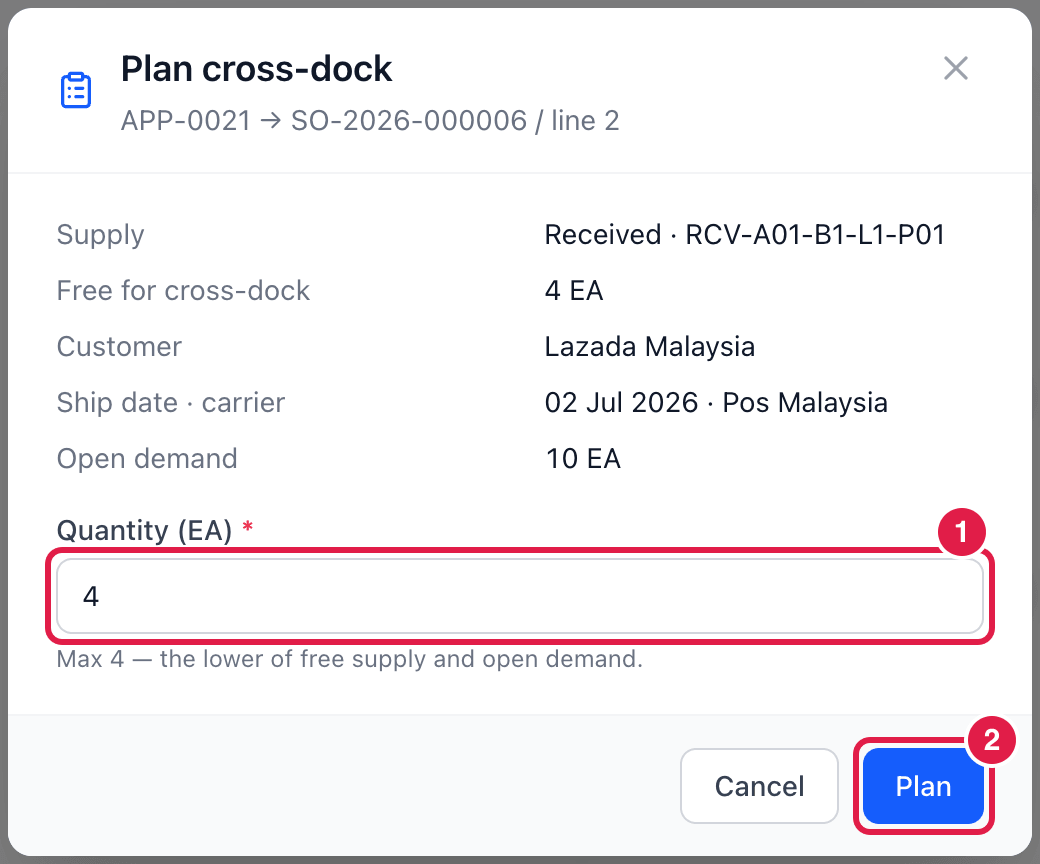
The window repeats the supply, customer, ship date and open demand.
- Quantity — how many to cross-dock (at most the lower of free supply and open demand).
- Plan — creates a planned cross-dock link. Nothing moves yet; the supply is only claimed.
Then open the Cross-dock links tab and execute the link when the goods are physically at the outbound lane: the stock moves to the cross-dock / outbound staging bin and the order line counts them as allocated and picked — ready to pack and ship.
Good to know
- Cancelling a planned link simply frees the supply. Cancelling an executed link un-reserves the stock (and can move it back to a receiving bin).
- Cross-dock comes before putaway: when you execute it, the open putaway task for that pallet is reduced to whatever is left in the receiving bin. If an executed cross-dock is cancelled and the stock goes back to receiving, a new putaway task is created.
- Use Refresh after new receipts — the opportunities are calculated from live stock and orders.