Putaway
After the GRN, received stock sits in the receiving bin. Putaway moves it to its storage bin. For every pallet, PrismaWMS suggests a bin using your putaway strategy and live data — free space, temperature, hazmat, the bins the owner may use. The worker moves the pallet and confirms; only then is the stock in its new bin.
Where: Inbound → Putaway (also on the PDA app)
A putaway task from start to finish
The worklist
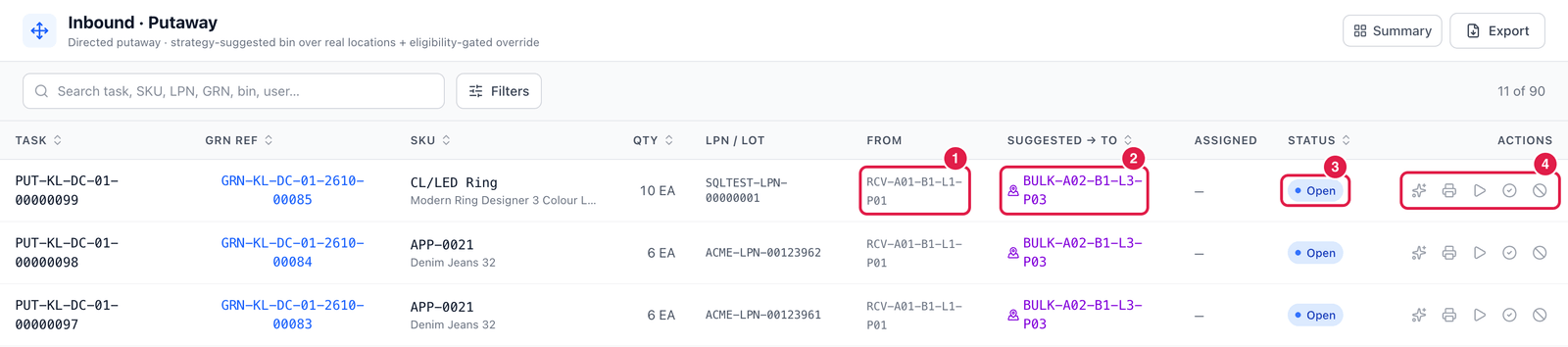
- From — where the pallet is now (the receiving bin).
- Suggested → To — the bin the strategy suggests; after confirmation, the bin it was really put in.
- Status — Open, In progress, Confirmed or Cancelled.
- Actions, from left to right:
- Resolve bin — open the task with the suggestion and alternatives (next section);
- Print LPN label — the pallet label;
- Start (assign to me) — take the task;
- Confirm → bin — confirm the putaway to the suggested bin in one click;
- Cancel task.
Check the suggestion and confirm
Click Resolve bin on a task.
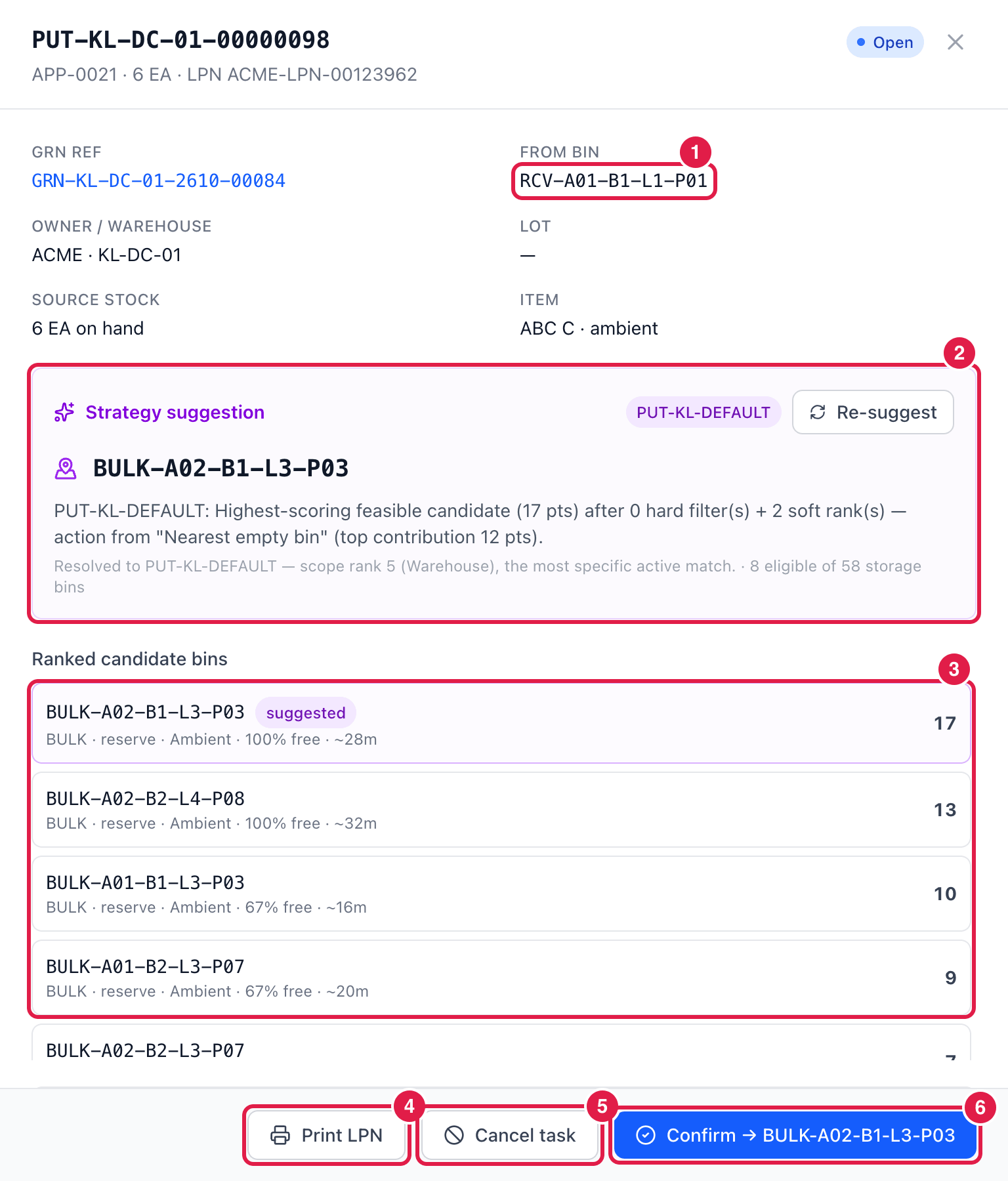
- From bin — the pallet's current bin. Above it: the GRN, owner, lot and stock on hand.
- Strategy suggestion — the suggested bin and why: which strategy was used (here the warehouse default PUT-KL-DEFAULT), its score, and how many bins were eligible (8 eligible of 58). Re-suggest recalculates it — useful when bins have filled up since the GRN.
- Ranked candidate bins — the other possible bins with their score, free space and walking distance. Further down, ineligible bins are listed with the reason (e.g. bin is full, single-owner bin holds another owner's stock). Click a bin to choose it instead of the suggestion.
- Print LPN — print the pallet label.
- Cancel task — cancel this putaway.
- Confirm → bin — confirm that the pallet is now in that bin. The stock moves.
Choosing a different bin
If you confirm to a bin that is not the suggested one, PrismaWMS first checks that the bin is eligible (right temperature, not full, allowed for the owner …) and asks for an override reason — some reasons also need a note.
Good to know
- On the PDA app, workers scan the pallet's LPN and the destination bin's barcode instead of clicking.
- If your process has putaway turned off, received stock simply stays in the receiving bin.
- Stock that was not put away by mistake can always be moved later with Inventory → Transfers.