Quality / QA Hold
Stock put on QA hold at the GRN waits in the QA bin and cannot be picked. After inspection, the QA team either releases it (it goes back into normal stock and gets a putaway task) or rejects it (it is blocked, moved to the damage bin, or flagged for return to the supplier). Every decision needs a note, and releases can require a supervisor's approval.
Where: Inbound → Quality / QA Hold
What happens to held stock
The list
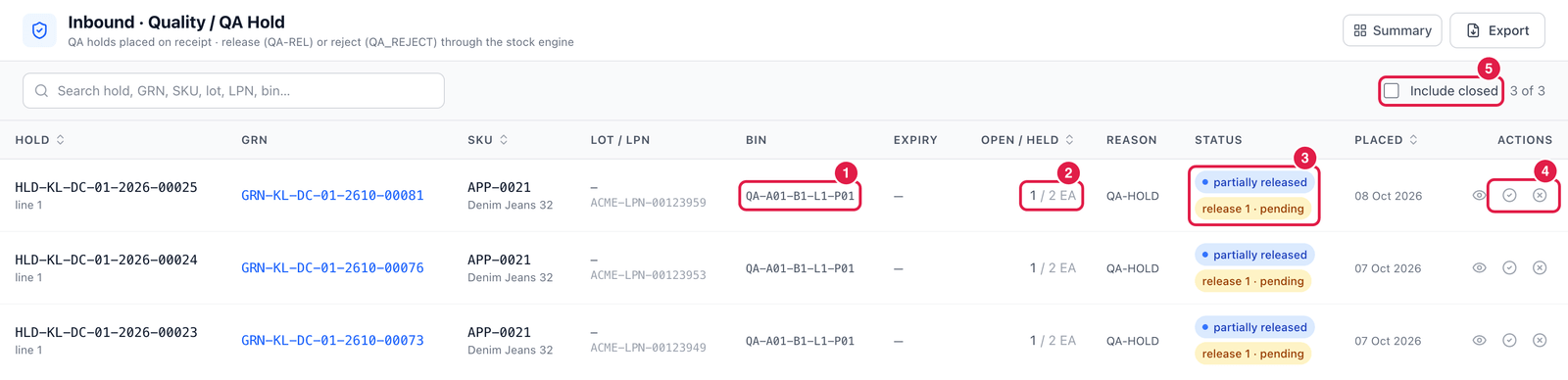
- Bin — where the held stock is (the QA bin).
- Open / Held — how much is still on hold out of the quantity originally held (here 1 of 2 EA).
- Status — partially released means part of the hold has already been released. release 1 · pending means a release of 1 EA is waiting for approval.
- Actions — Release (tick) or Reject (cross). The eye icon opens the GRN.
- Include closed — also show holds that are fully released or rejected.
Release stock
Click Release on the hold line.
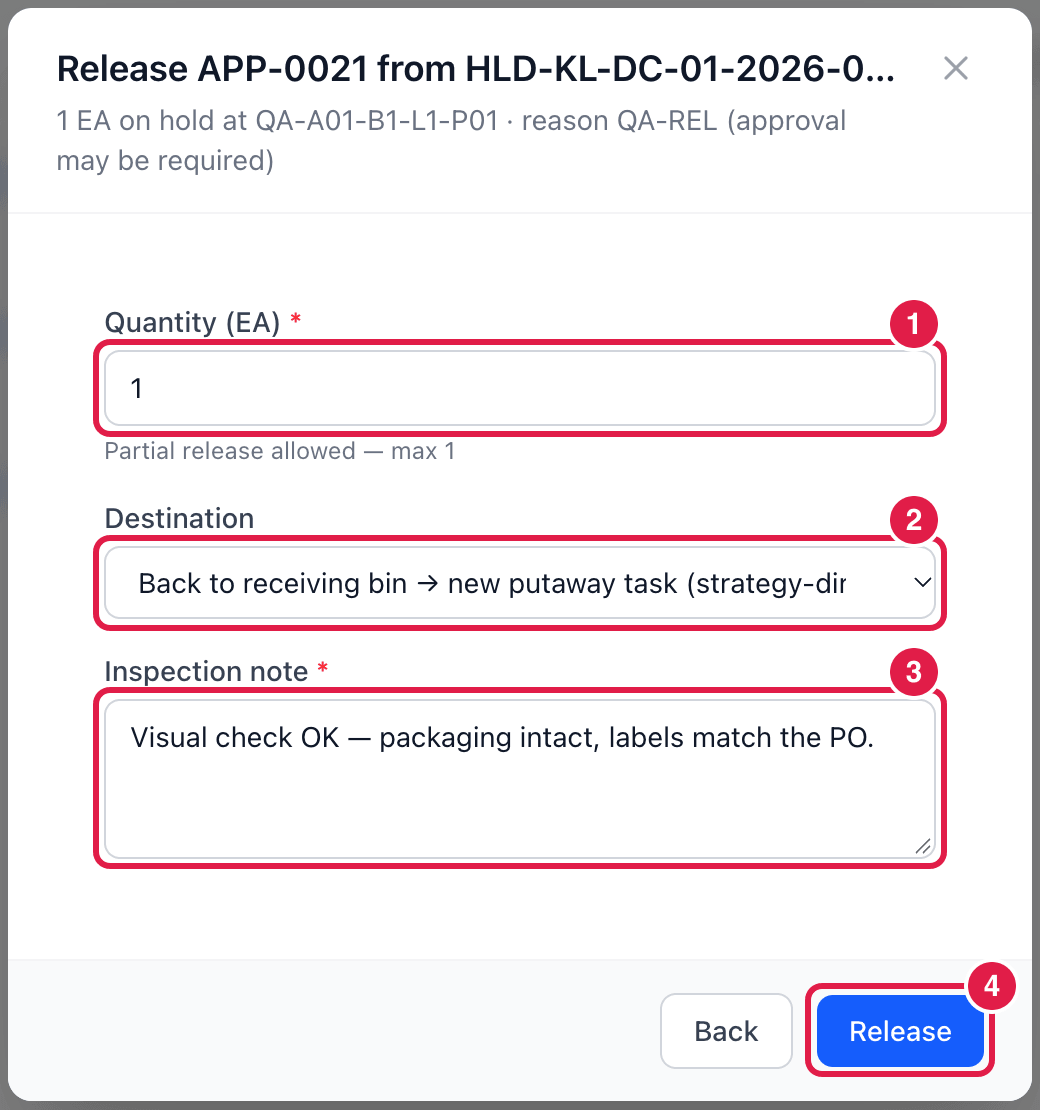
- Quantity — how many to release. You may release only part of the hold.
- Destination:
- Back to receiving bin → new putaway task — the usual choice; putaway then finds the best bin.
- Directly into a storage bin — choose the bin yourself.
- Inspection note — what you checked and found. Required.
- Release — if the release reason (QA-REL) requires approval, the release waits in Inventory → Approvals and the list shows release … · pending until it is approved.
Reject stock
Click Reject on the hold line, then enter:
- Quantity to reject (part of the hold is allowed);
- Reject reason — e.g. QA-REJ — fails inspection or DOA-DMG — damaged on arrival;
- Rejected stock becomes — Blocked (stays in the QA bin) or Damaged (moved to the damage bin);
- Defect note — what is wrong. Required.
Rejected goods that go back to the supplier continue in Return to Vendor.
Hold everything automatically
For sensitive goods (food, pharma) your administrator can set QA to ALL in the process settings (Administration → Workflow Designer → Process): then every received unit goes to QA hold first.
Good to know
- QA hold also catches stock received with too little shelf life left, or under a recall.
- Holds placed later inside the warehouse (not at receiving) are managed in Inventory → Holds & Status.