Cycle Count
Instead of closing the warehouse once a year, cycle counting checks a few bins every day — fast movers more often. A count sheet lists the bins to count. PrismaWMS takes the system quantity at the moment you create the sheet (snapshot), the counter counts — usually blind, without seeing the expected number — and differences above the tolerance must be recounted by another person. The final differences are posted as corrections, with approval where the reason requires it.
Where: Inventory → Cycle Count (counting can also be done on the PDA app)
A count sheet from start to finish
The count sheets
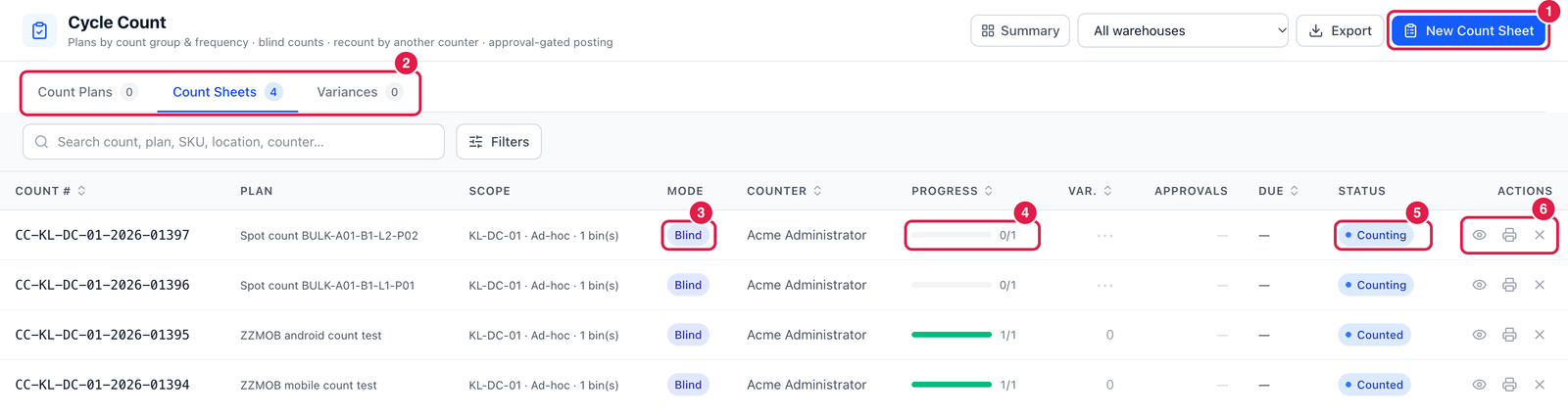
- New Count Sheet — create a count.
- Tabs — Count Plans (bins due by their count group and frequency), Count Sheets and Variances (differences waiting to be posted).
- Mode — Blind: the counter does not see the system quantity.
- Progress — bins counted / bins on the sheet.
- Status — Counting, Counted, Posted, Cancelled.
- Actions — Open (count and post), Print sheet (for counting on paper) and Cancel.
Create a count sheet
Click New Count Sheet.
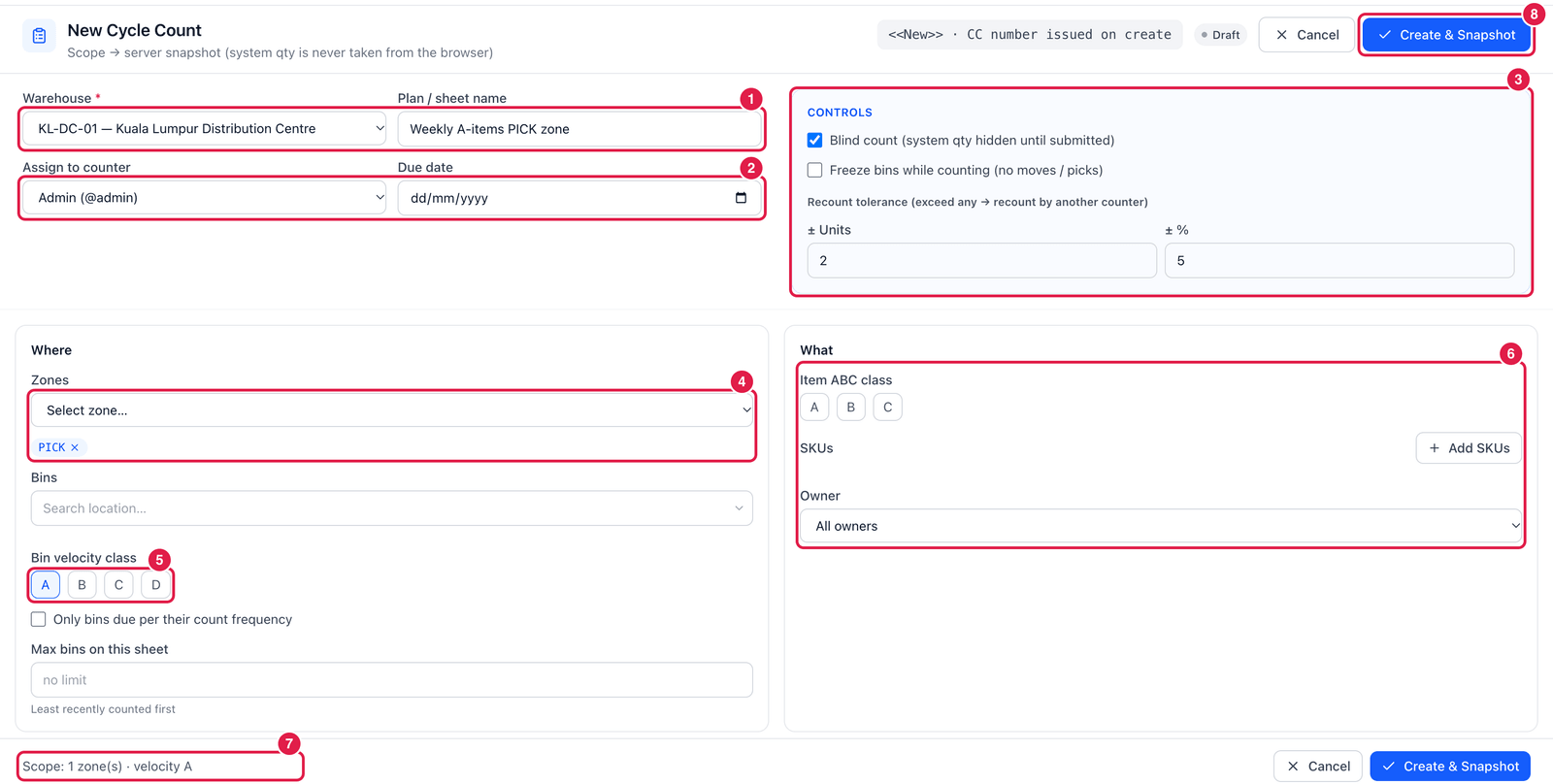
- Warehouse and a name for the sheet, e.g. Weekly A-items PICK zone.
- Assign to counter and a due date.
- Controls:
- Blind count — hide the system quantity until the count is submitted (recommended);
- Freeze bins while counting — no moves or picks in those bins until the count is posted;
- Recount tolerance — differences larger than ± units or ± % must be recounted by another counter.
- Where — Zones and Bins — which part of the warehouse to count (here zone PICK).
- Bin velocity class — e.g. only the A bins (fast movers). Tick Only bins due per their count frequency to count only bins that are due, and set Max bins to keep the sheet short (least recently counted bins first).
- What — limit to items of an ABC class, specific SKUs, or one owner.
- Scope — a summary of what will be counted.
- Create & Snapshot — the sheet gets its number (
CC-…) and the system quantities are captured.
Count and post
- Open the sheet (or use the PDA) and enter the counted quantity for every bin / item. Stock you find that the system did not expect can be added.
- Submit. Lines over the tolerance go to recount; another user counts them again.
- Post the variances. Each difference needs a reason (e.g. COUNT-ADJ); reasons that require approval send that line to Approvals first.
When counters see the expected number, they tend to "find" it. Blind counts give honest figures. The difference is worked out against the system quantity captured when the sheet was created — freeze the bins if stock may move meanwhile.