Holds & Status
A hold stops stock from being allocated, picked or shipped — while QA checks it, during a recall, after damage,
or for any other reason. Each hold is a document (HLD-…) linked to the exact stock it covers. Later you
release the stock (all or part), write it off, extend the hold or escalate it. Holds whose reason
requires it need a supervisor's approval before release or write-off.
Where: Inventory → Holds & Status
The life of a hold
The holds list
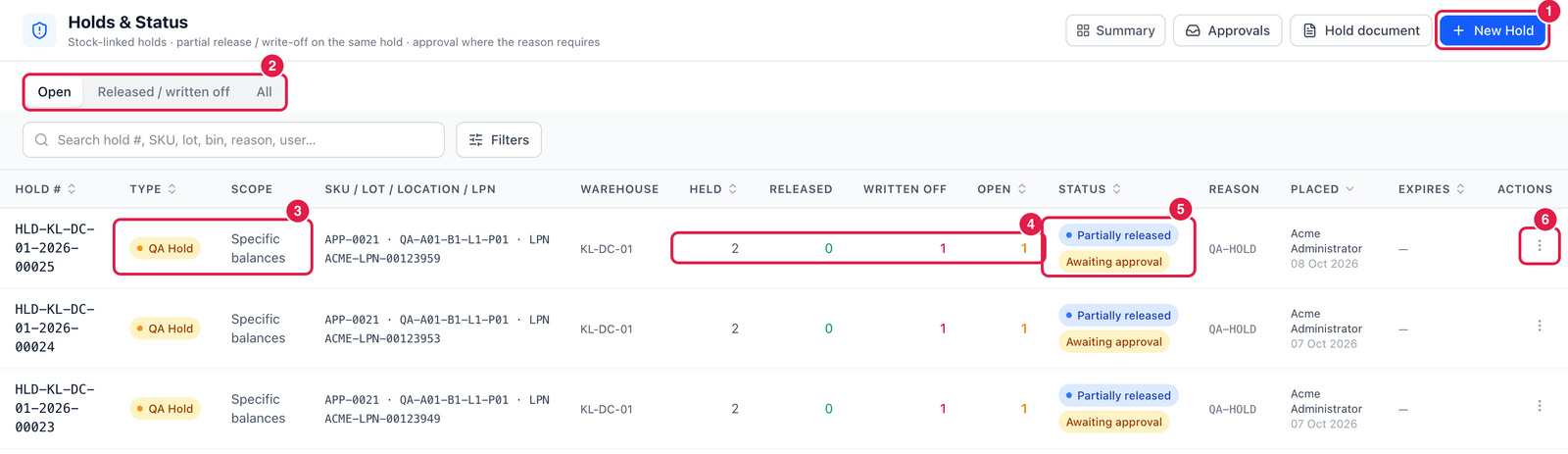
- New Hold — put stock on hold.
- Tabs — Open, Released / written off, All.
- Type and Scope — e.g. QA Hold on Specific balances. Holds can cover a lot, an SKU, a location, an owner or an LPN.
- Held / Released / Written off / Open — how much was put on hold and what has happened to it since.
- Status — Open, Partially released, Released, Written off, Escalated … Awaiting approval means a release or write-off is waiting in Approvals.
- ⋯ Actions — View detail, Open hold document, Release…, Write off…, Extend… and Escalate….
Hold document prints the hold for your files; Approvals opens the approvals inbox.
Put stock on hold
Click New Hold.
Step 1 — Which stock?
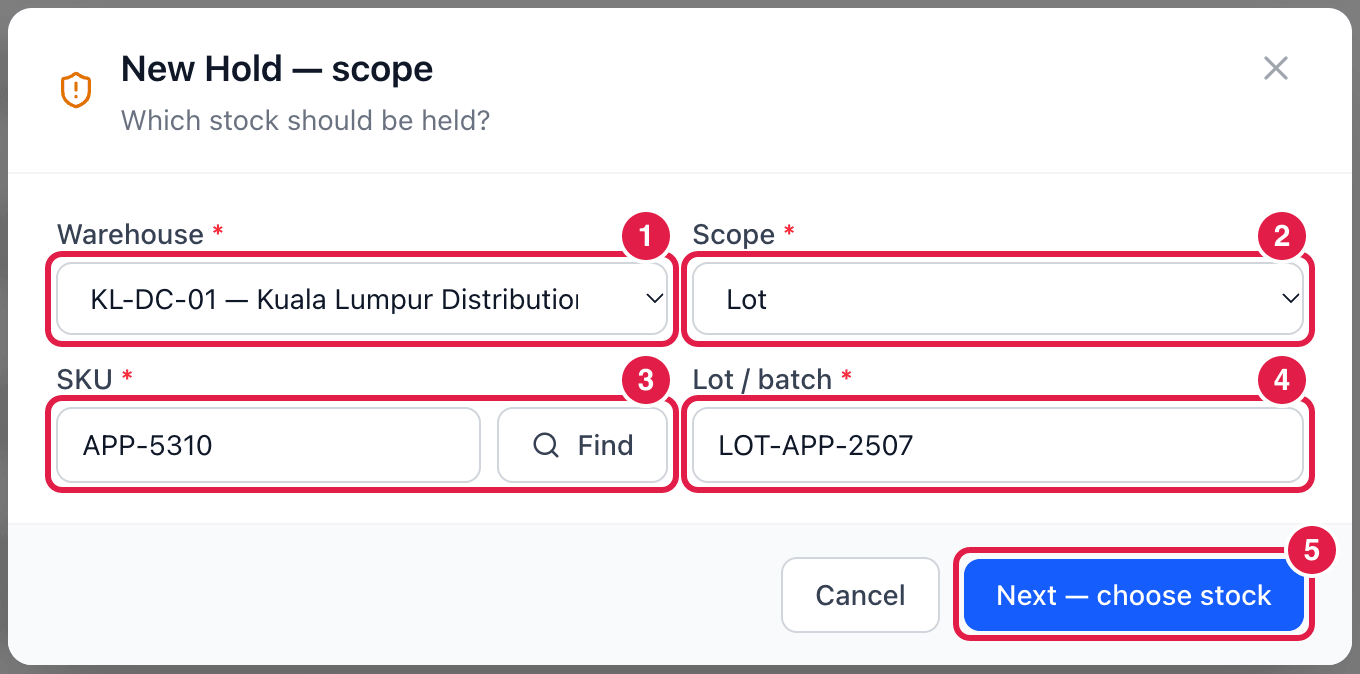
- Warehouse.
- Scope — hold by Lot, SKU, Location, Owner or LPN.
- SKU — type or Find the item.
- Lot / batch — the lot to hold (for scope Lot).
- Next — choose stock — PrismaWMS lists all matching stock.
Step 2 — Hold details
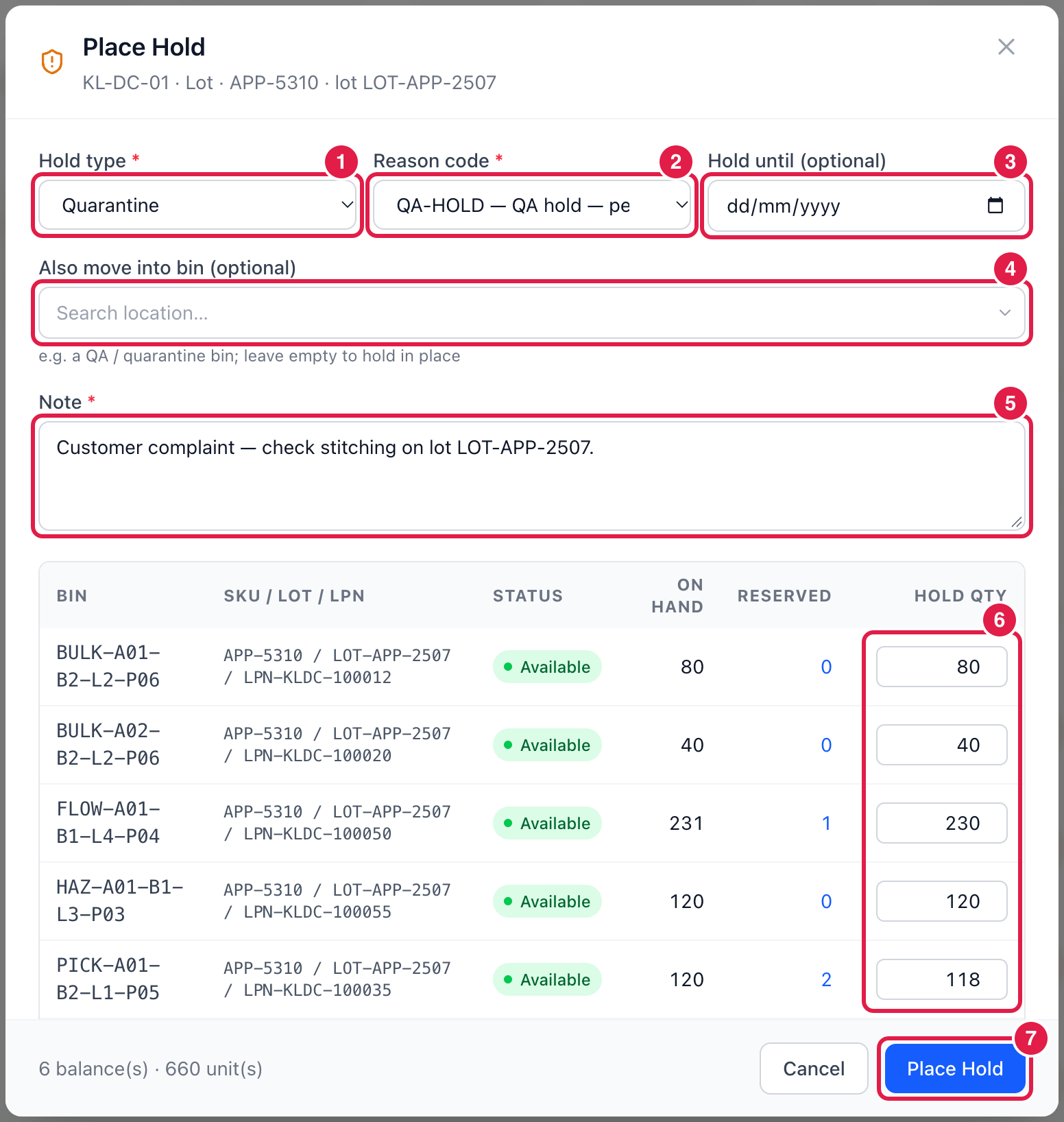
- Hold type — QA Hold, Quarantine, Recall, Damaged or Blocked.
- Reason code — reasons marked (release needs approval) will need a supervisor to release the stock.
- Hold until — optional end date; the hold can be extended later.
- Also move into bin — optionally move the stock into a QA or quarantine bin; leave empty to hold it where it is.
- Note — what happened, or a reference. Required.
- Hold qty — how much of each balance to hold. Reserved units cannot be held — unallocate them first.
- Place Hold — the stock moves into the hold status and is no longer allocatable.
Release, write off, extend, escalate
- Release… — give all or part of the held stock back to its original status (optionally into another bin).
- Write off… — remove the held stock from inventory with a write-off reason; an adjustment document is created.
- Extend… — move the hold's end date, with a reason.
- Escalate… — flag the hold for attention, with a note.
info
Holds placed at receiving (QA hold at the GRN) are handled on Quality / QA Hold — they also appear here. Release and write-off follow the same approval rules on both screens.