Stock on Hand
Stock on Hand answers "how much do we have, and where?" — live from the database. Look at the same stock by SKU, by location, by LPN, by lot or by owner, open any item to see every bin it is in, and start a move, transfer, hold or adjustment straight from a balance.
Where: Inventory → Stock on Hand
The stock list
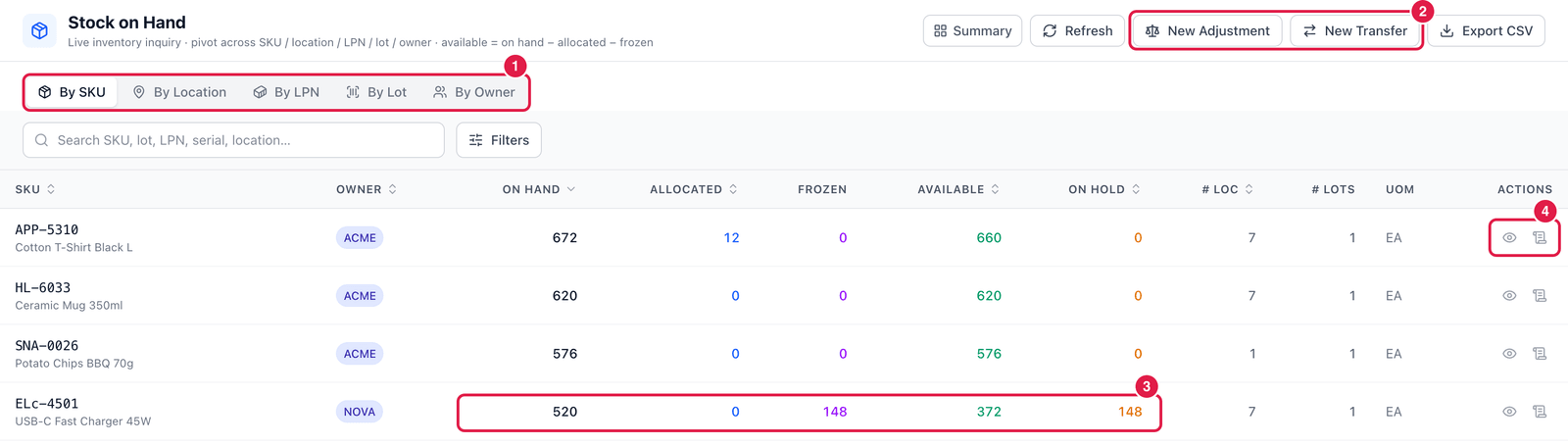
- View — By SKU (one row per item), By Location, By LPN, By Lot or By Owner.
- New Adjustment and New Transfer — start a correction or a move (see Adjustments and Transfers).
- The figures — On hand, Allocated (reserved for orders), Frozen, Available (= on hand − allocated − frozen, for stock in status Available) and On hold (stock in another status, such as Blocked or QA Hold). Here 520 on hand, 148 on hold, 372 available.
- Actions — Detail (eye) and Ledger (every movement of this item).
Use Filters to narrow by warehouse, zone, owner, status, lot or expiry — for example Expiring ≤ 30 days.
Look at one item
Click Detail on an item.
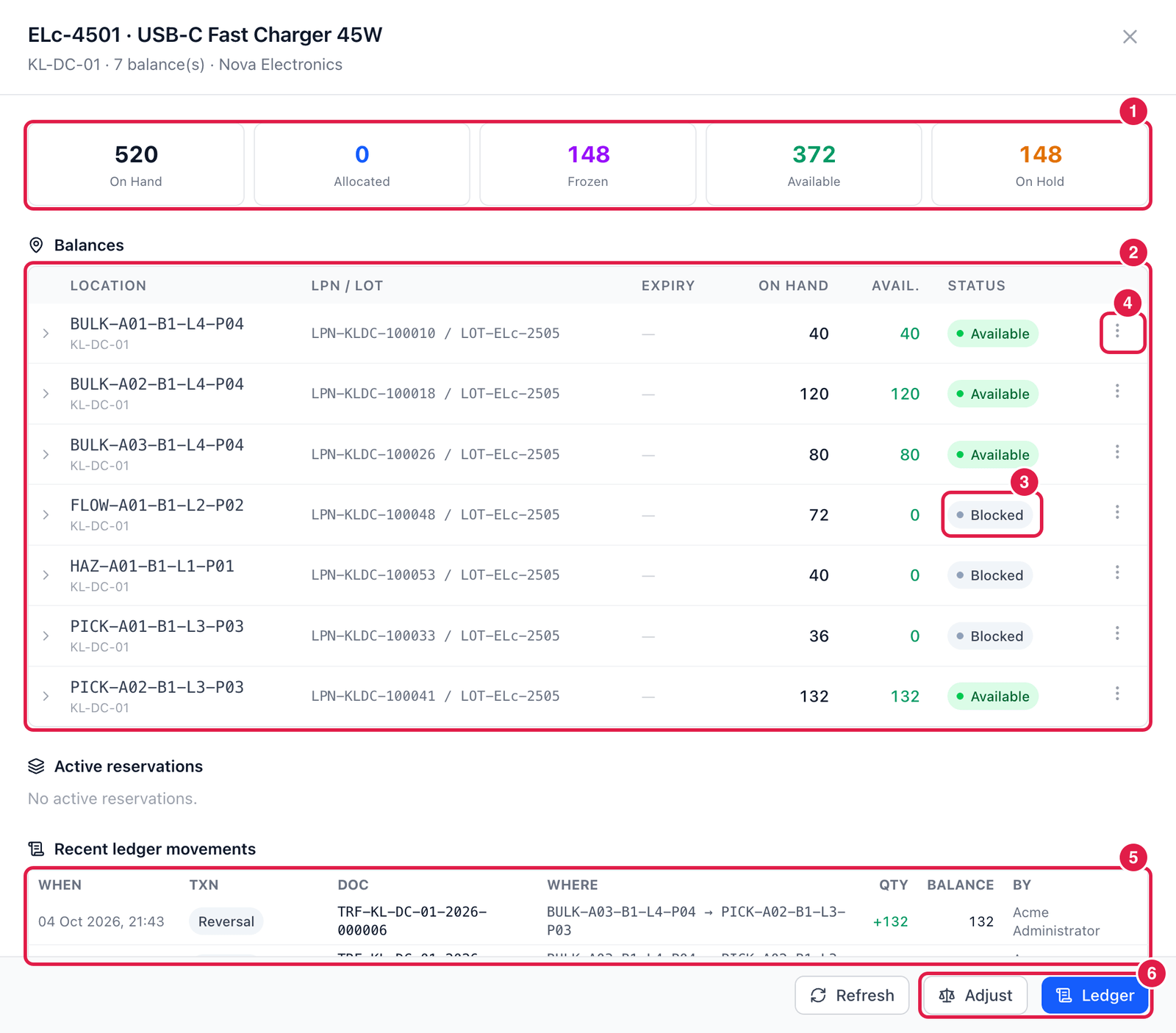
- Totals of the item in this warehouse.
- Balances — every bin, LPN and lot with its quantity and status. Click › to expand a row.
- Status — e.g. Blocked: on hand, but not available (0 available).
- ⋯ Actions on a balance:
- View SKU detail;
- Move — to another bin in the same warehouse;
- Transfer — to another warehouse;
- Hold — block this stock (see Holds & Status);
- Adjust — correct the quantity (see Adjustments);
- Open in ledger.
- Recent ledger movements — the last receipts, moves, picks and corrections for this item. Active reservations above it show which orders have reserved stock.
- Adjust and Ledger — the same for the whole item.
tip
Searching by lot, LPN, serial or location works in every view — type it in the search box.