Stock Take
A stock take (physical inventory) counts everything in a scope at one moment — the whole warehouse, some zones, or all stock of one owner — usually at month or year end. The bins are frozen so nothing moves, the system quantity is captured, and the team counts. Lines with a difference get a check count by a different person, and a third count when the first two disagree. After reconciliation the differences are approved and posted.
Where: Inventory → Stock Take
The stock take steps
The sessions list
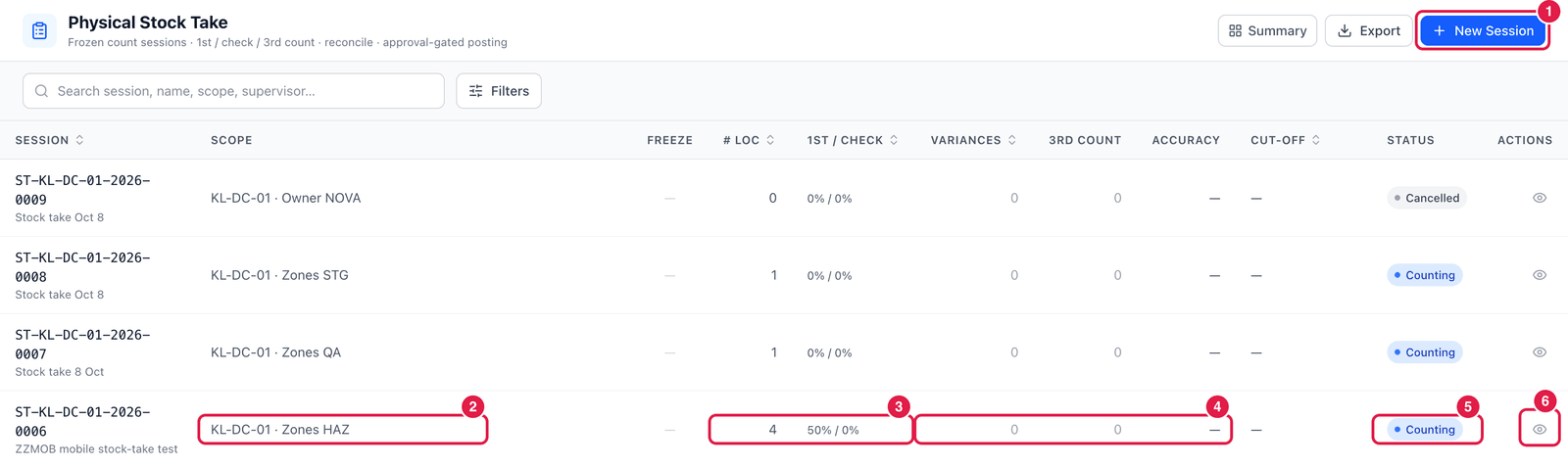
- New Session — start a stock take.
- Scope — what is counted: a warehouse with zones, an owner, or the whole warehouse.
- # Loc and 1st / check — how many locations, and how far the first and check counts are.
- Variances, 3rd count and Accuracy — how many lines differ, how many needed a third count, and the count accuracy once finished.
- Status — Counting, Reconciling, Pending approval, Posted, Closed or Cancelled.
- Open — count, reconcile and post the session.
Start a stock take
Click New Session. The steps are shown at the top: Setup → Freeze & snapshot → Count → Reconcile → Approve → Post.
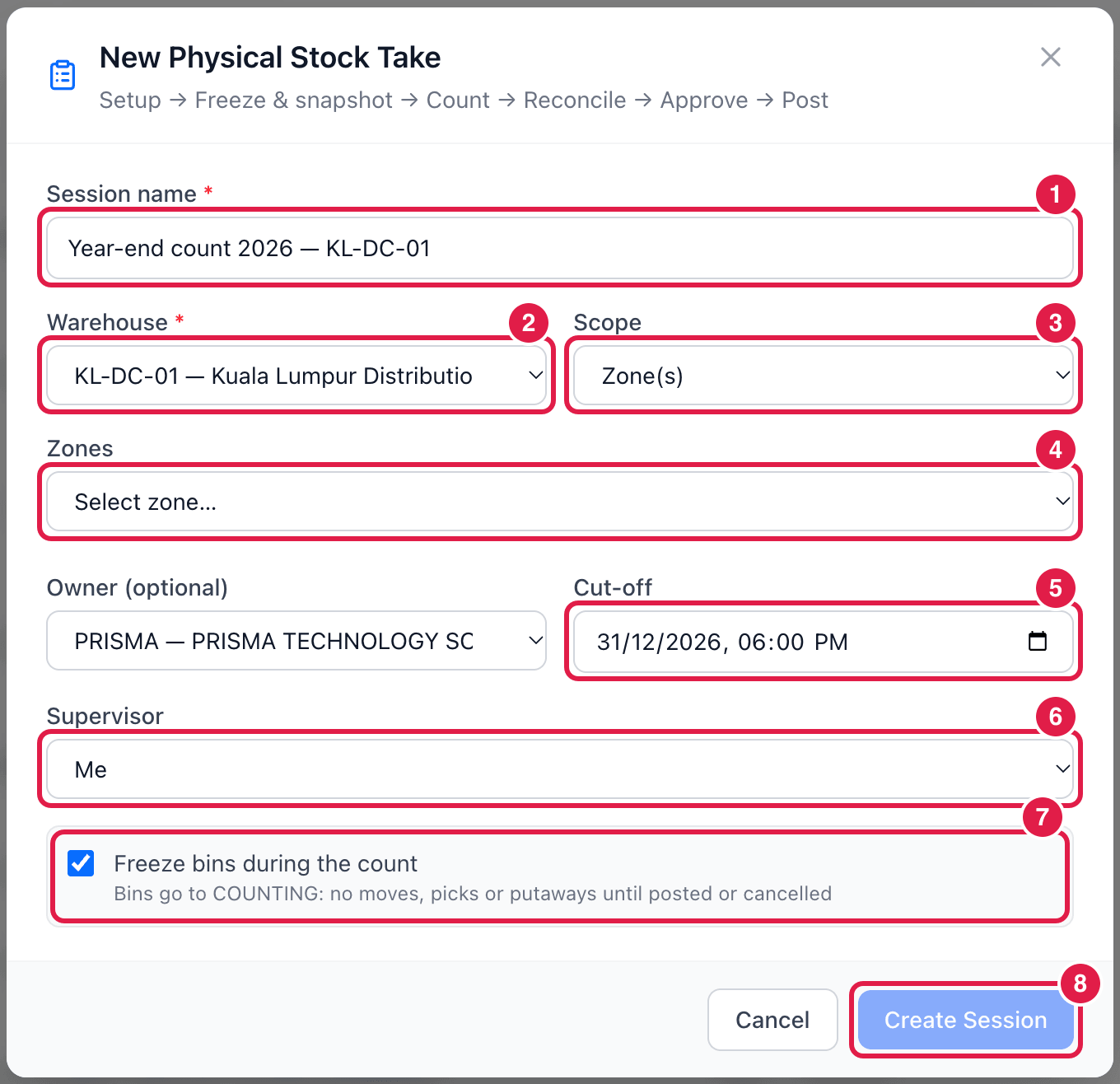
- Session name — e.g. Year-end count 2026 — KL-DC-01.
- Warehouse.
- Scope — Wall-to-wall (whole warehouse), Zone(s) or Single owner.
- Zones — for scope Zone(s): choose the zones to count.
- Cut-off — the moment the count represents, e.g. 31 December 18:00. Optionally limit to one owner.
- Supervisor — who is responsible for the session.
- Freeze bins during the count — the bins go to Counting: no moves, picks or putaways until the session is posted or cancelled. Strongly recommended.
- Create Session — the session is created and the system quantities are captured.
Count, reconcile and post
- Count — counters enter what they find per bin (on the web or the PDA). Unexpected stock can be added.
- Check count — lines with a difference are counted again by a different counter; if the check count does not agree with the first count, a third count decides.
- Reconcile — review the final differences per item and bin, with their value.
- Approve — lines whose reason needs approval go to Approvals.
- Post — stock is corrected, the bins are unfrozen and the session is closed.
Plan the freeze
Frozen bins cannot be picked or put away. Finish shipping and putaway before the cut-off, or count zone by zone so the rest of the warehouse keeps working.