Classification
Classification holds the small pick-lists that items refer to: item types, ABC classes, rotation rules, temperature regimes, velocity classes, storage and handling classes, dangerous-goods classes and carton types.
Where: Master Data → Classification
The screen
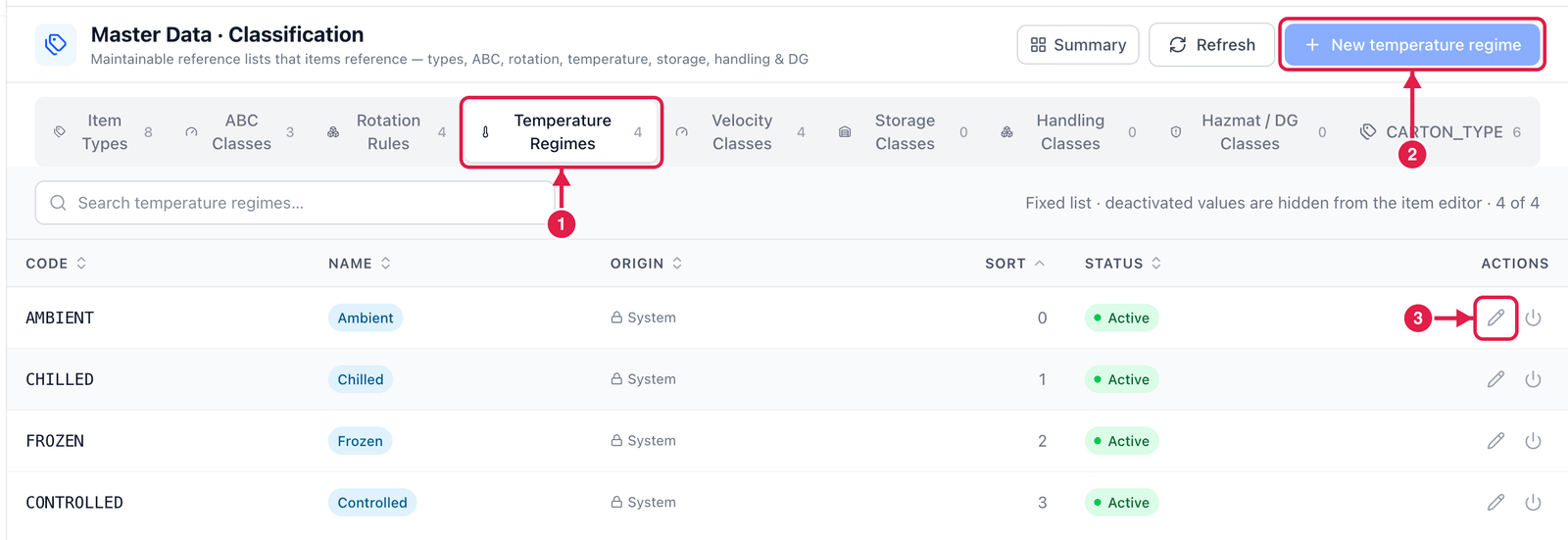
- The lists — click one (here Temperature Regimes). The number is how many values it has.
- New … — add a value to the selected list. It is greyed out for system lists such as temperature regimes and item types: PrismaWMS relies on those values, so you can only relabel or deactivate them.
- Edit (pencil) — change a value's name or order; the power icon deactivates it.
Add a value
Choose a list that allows new values (for example Storage Classes) and click New ….
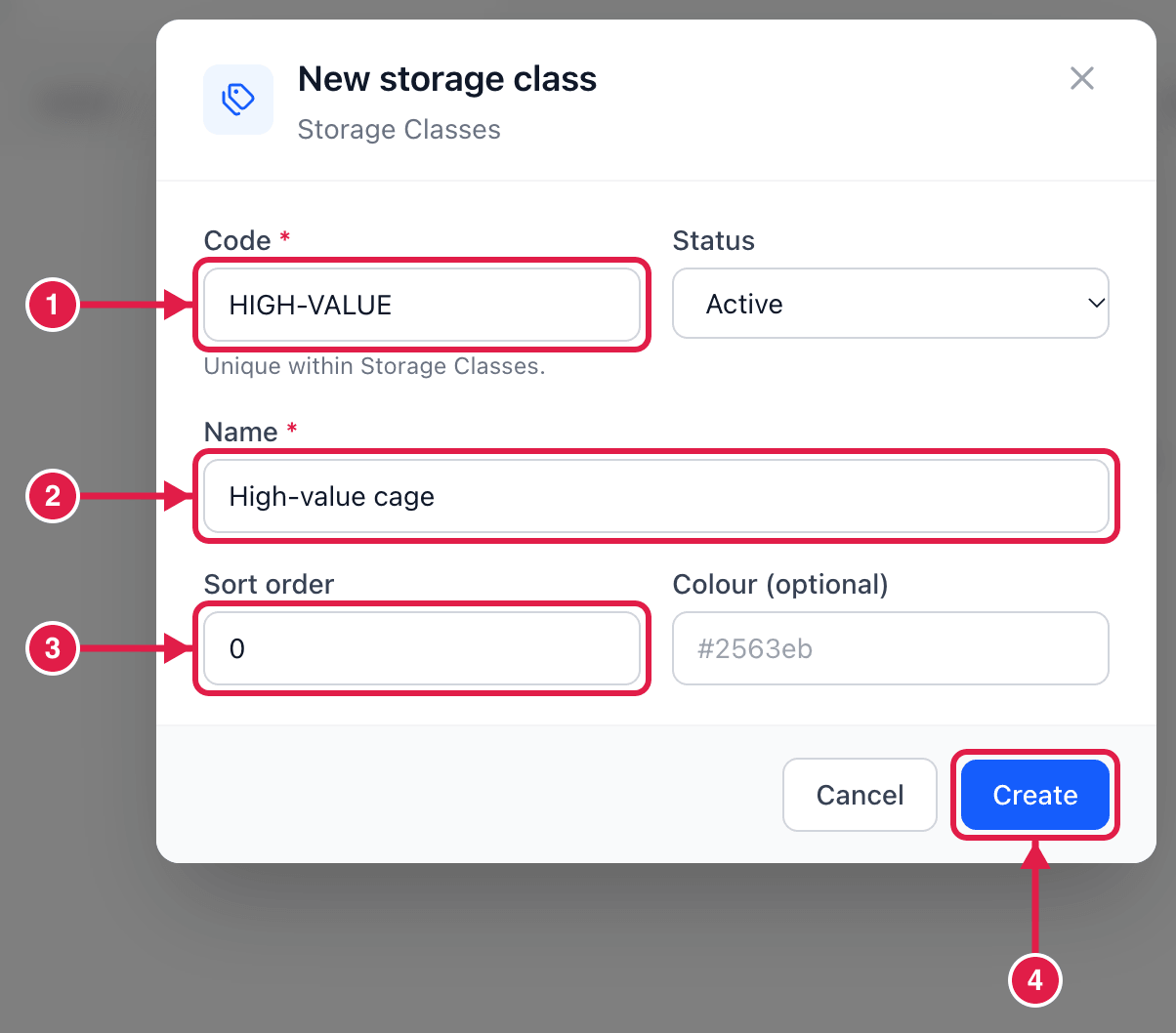
- Code — unique within the list, e.g.
HIGH-VALUE. - Name — what people see, e.g. High-value cage.
- Sort order — where it appears in drop-down lists (0 = first).
- Click Create.
Deactivate instead of delete
Deactivated values disappear from the item editor but stay on the items that already use them, so history stays correct.