UOM & Conversions
A unit of measure (UOM) is how you count: each (EA), carton (CTN), pallet (PLT), kilogram (KG) …
A conversion set says how they relate for a product — for example 1 carton = 12 each, 1 pallet = 50 cartons.
PrismaWMS always keeps stock in the smallest unit (the base) and converts for you.
Where: Master Data → UOM & Conversions
Why conversions matter
A supplier ships 2 pallets, a customer orders 3 cartons, a picker takes 5 each — PrismaWMS converts all of them to eaches, so stock is always right.
The screen
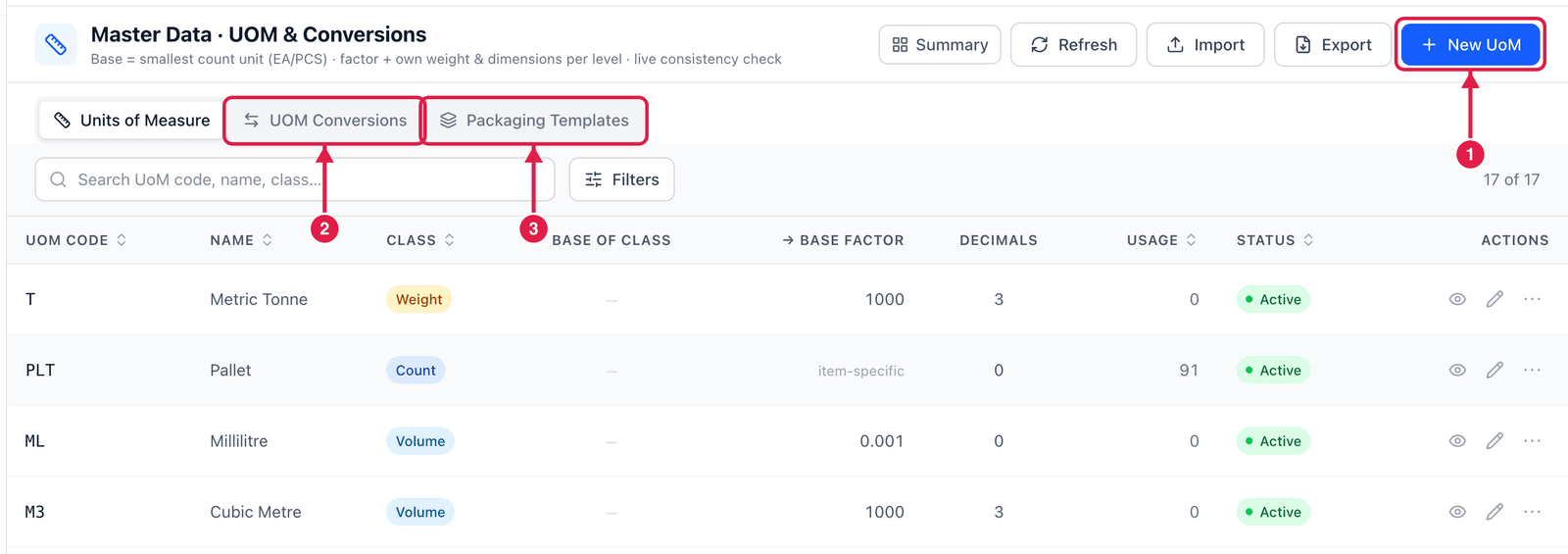
- New UoM — add a unit.
- UOM Conversions — the conversion sets (see below).
- Packaging Templates — reusable packaging set-ups you can apply to many SKUs at once.
Add a unit of measure
Most companies only need the ready-made units. Add one only if you count in something new (e.g. bags).
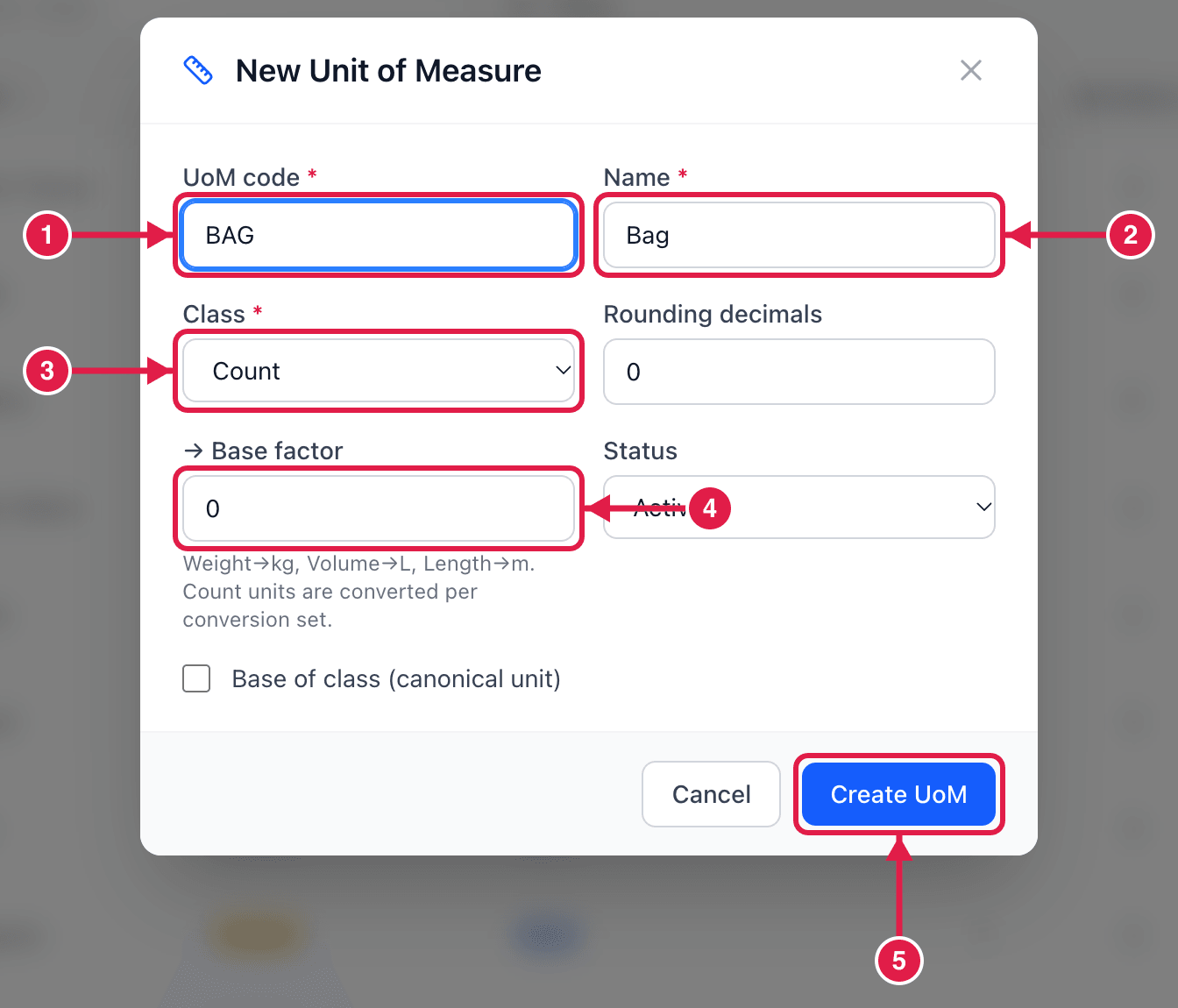
- UoM code — short, e.g.
BAG. - Name — e.g. Bag.
- Class — Count for things you count, Weight, Volume, Length or Time for measured units.
- → Base factor — only for measured units, e.g.
1000for a tonne (1 T = 1000 KG). Count units are converted per conversion set instead. - Click Create UoM.
Conversion sets
Click UOM Conversions.
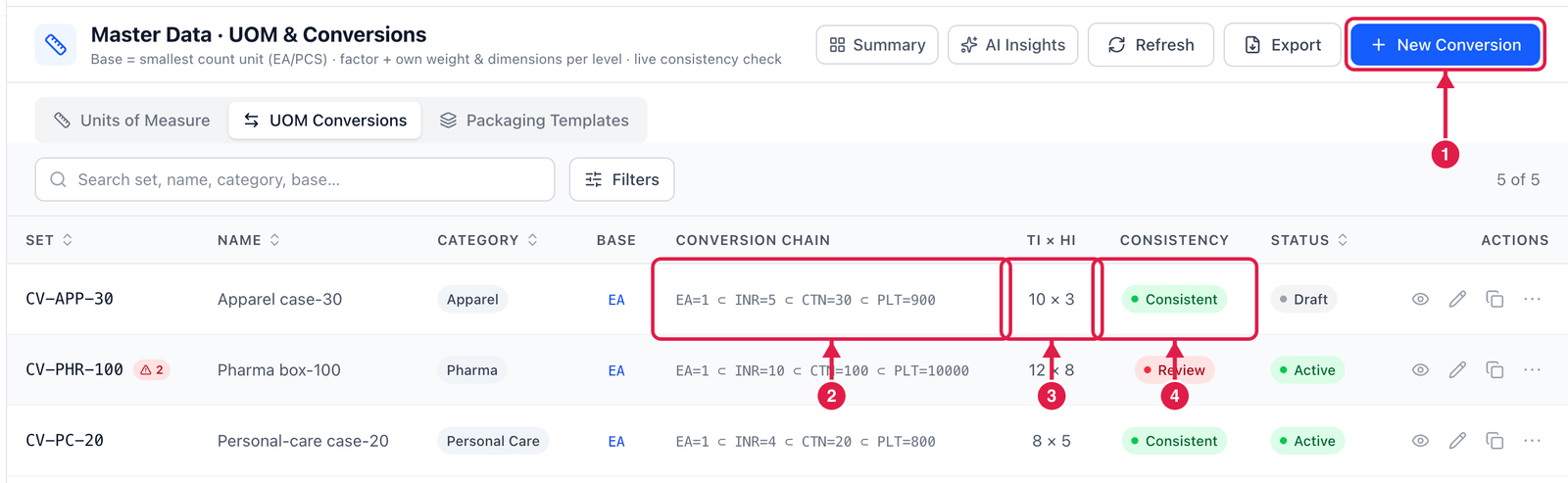
- New Conversion — create a set.
- Conversion chain — e.g.
EA=1 ⊂ INR=5 ⊂ CTN=30 ⊂ PLT=900: an inner holds 5 each, a carton 30, a pallet 900. - Ti × Hi — pallet pattern: cartons per layer × layers.
- Consistency — Consistent or Review. Review means the numbers do not add up — open the set and fix it.
Create a conversion set
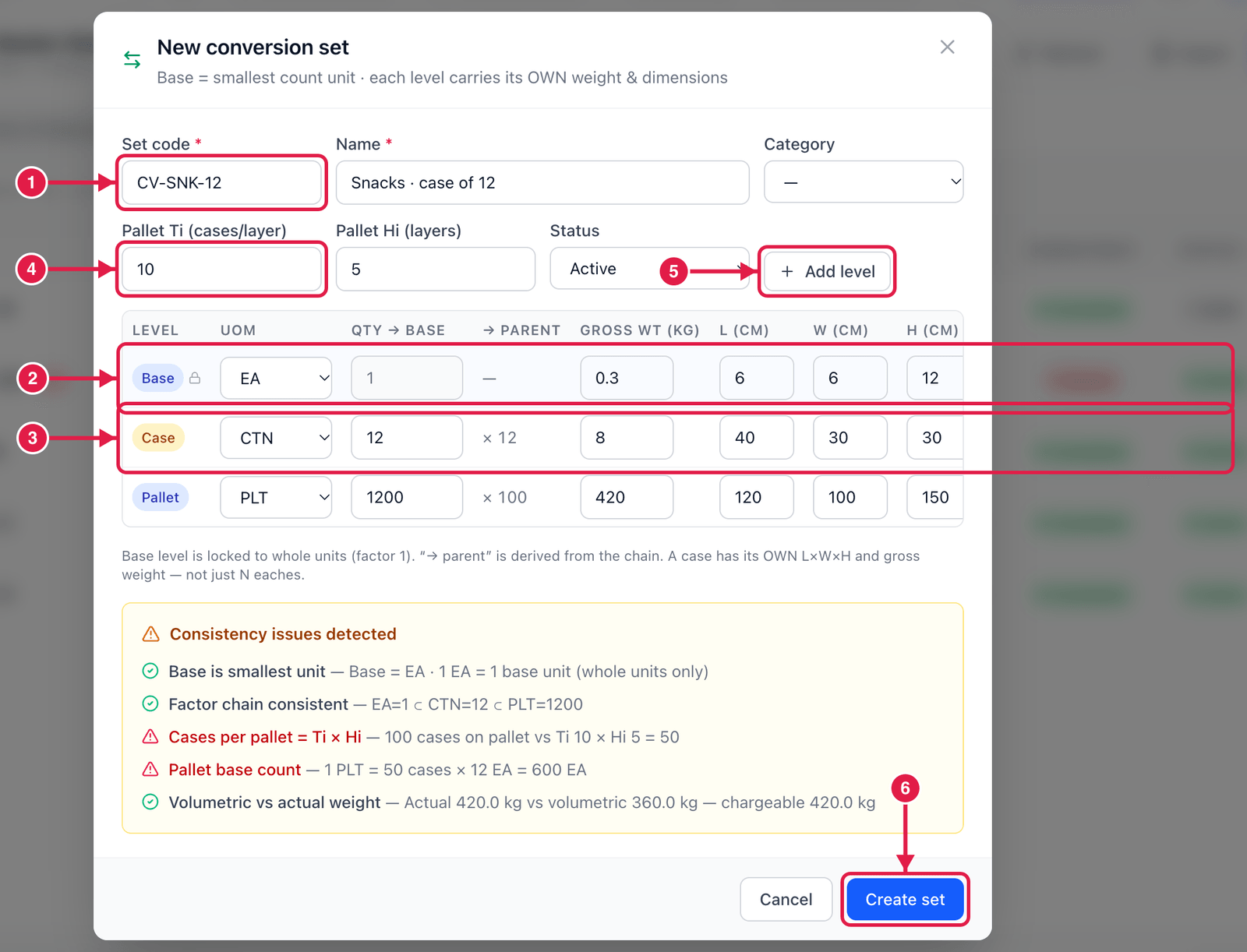
- Set code and Name — e.g.
CV-SNK-12, Snacks · case of 12. - Base row — the smallest unit (
EA), always 1. - Case row — choose
CTNand type how many base units are in it (12). Add the case's own weight and size (L × W × H) — PrismaWMS uses them for capacity and shipping. - Pallet Ti / Hi — cartons per layer and number of layers (e.g. 10 × 5 = 50 cartons per pallet).
- Add level for more levels (inner, pallet …).
- Click Create set.
While you type, PrismaWMS checks the numbers: Cases per pallet = Ti × Hi, pallet base count, volumetric vs actual weight. A red line means two numbers disagree — for example a pallet of 1,200 each while Ti × Hi gives only 600. Fix it before saving.
Packaging templates
A packaging template is a conversion set you want to reuse. On Packaging Templates, use Apply to SKUs to give the same packaging to many items in one step.
Good to know
- Choose an item's base unit carefully: it cannot be changed once the item has stock or documents.
- Weights and dimensions on each level are used for bin capacity, carton choice and freight calculations.