Wave Templates
A wave is a group of orders that is released to the pickers together. A wave template is a saved recipe for building waves: which orders belong in it (owner, order type, carrier, zones …), how big a wave may be, and what happens if a pick face is empty. On the Waves screen you choose a template, preview the plan and release it.
Where: Master Data → Wave Templates
From orders to a wave
Waves are released by a person on Outbound → Waves: choose the template, look at the plan preview, then release. Orders that do not match the template are held back with the reason.
The list
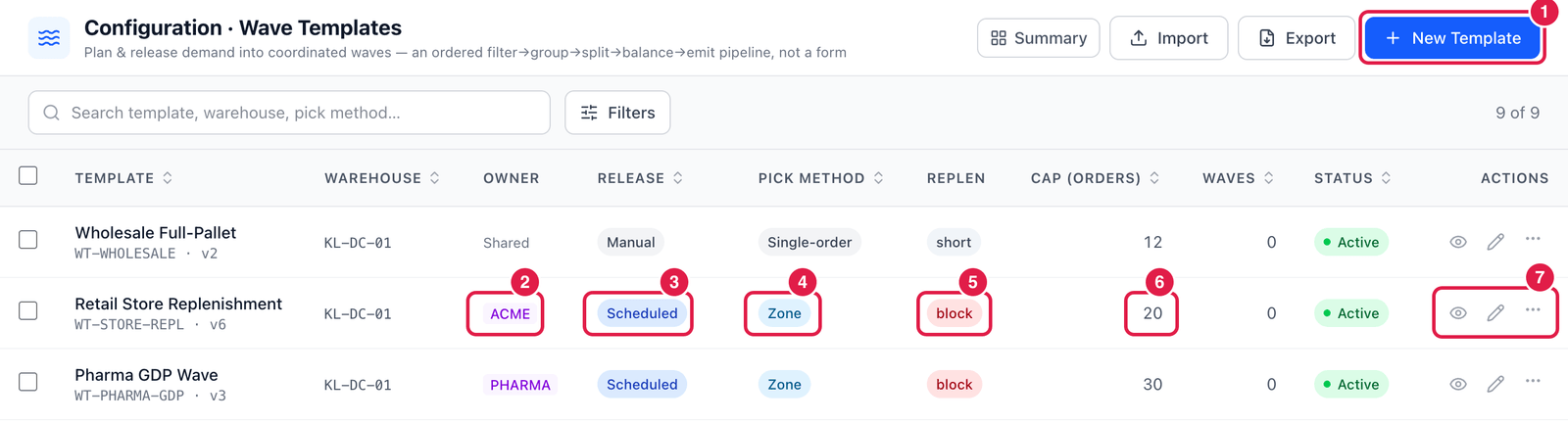
- New Template — create a template.
- Owner — whose orders it takes (Shared = any owner).
- Release — the release mode the template is designed for: Manual, Scheduled, Cutoff-driven or Auto-threshold (see the note below).
- Pick method — how the work is meant to be picked: Single-order, Batch, Cluster, Zone, Wave, Discrete or Pick-and-pass. It is recorded on every wave released with the template.
- Replen — what to do when a pick face does not have enough stock:
- block — hold the order back until the pick face is replenished;
- partial — release the order and create a replenishment task;
- short — release the order without a replenishment task.
- Cap (orders) — the maximum number of orders in one wave.
- View, Edit and ⋯.
Look inside a template
Click a template to open it.
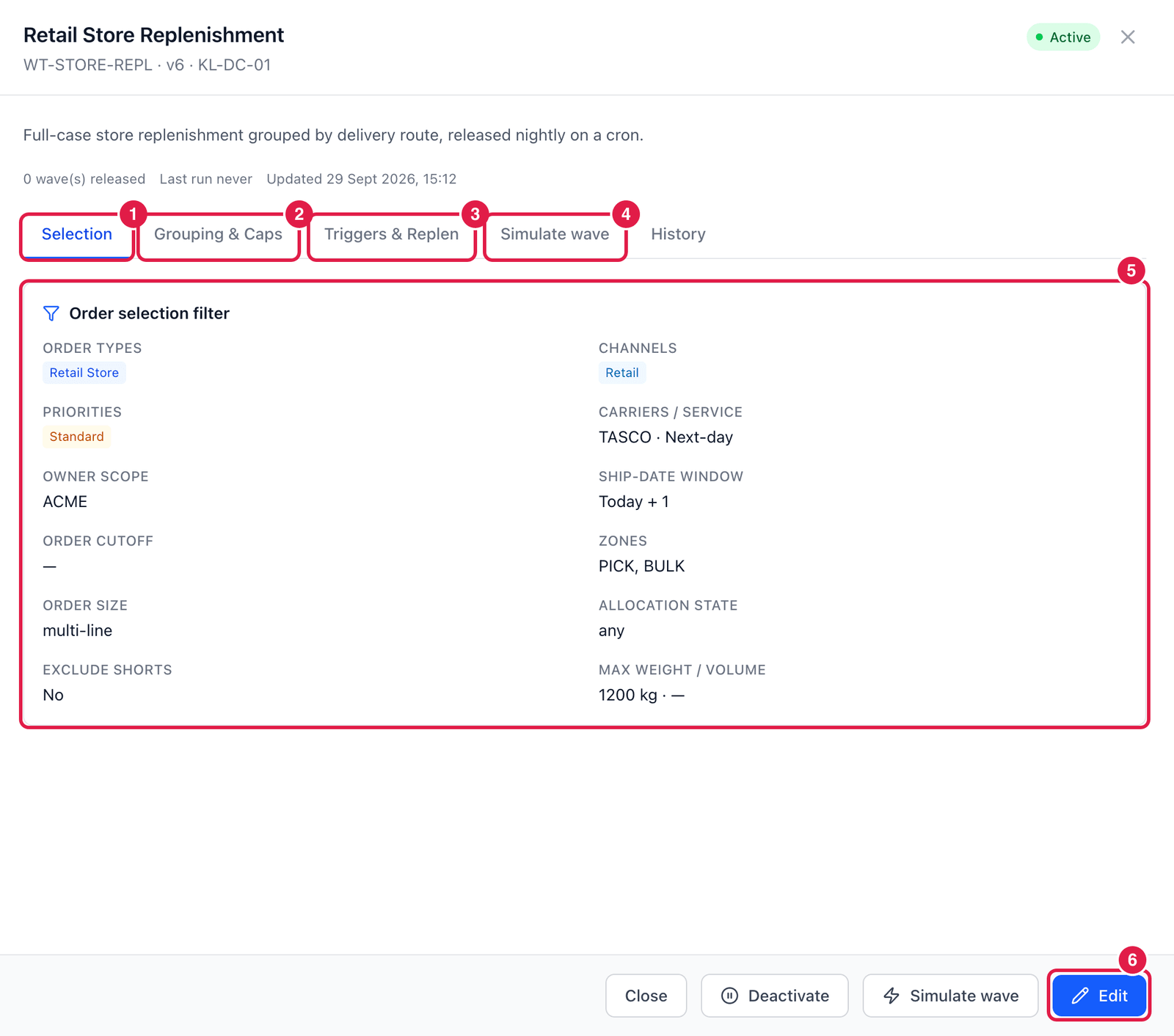
- Selection — which orders the template takes.
- Grouping & Caps — how orders are grouped (e.g. by route, then ship date) and the limits per wave: orders, lines, units, weight, volume, plus pickers and pick rate for balancing the work.
- Triggers & Replen — the release mode and the replenishment rule.
- Simulate wave — try the template on live orders (next section).
- Order selection filter — order types, channels, priorities, carriers / service, owner, ship-date window, zones, order size, allocation state, maximum weight.
- Edit — change the template. Every change creates a new version (v6); History shows them all.
The Scheduled (with a cron time), Cutoff-driven and Auto-threshold settings are used by the wave simulator to show when a wave would be due. PrismaWMS does not yet release waves automatically — someone releases them on the Waves screen.
Simulate a wave
Simulate wave runs the planner over the live open orders of the template's warehouse. Nothing is released.
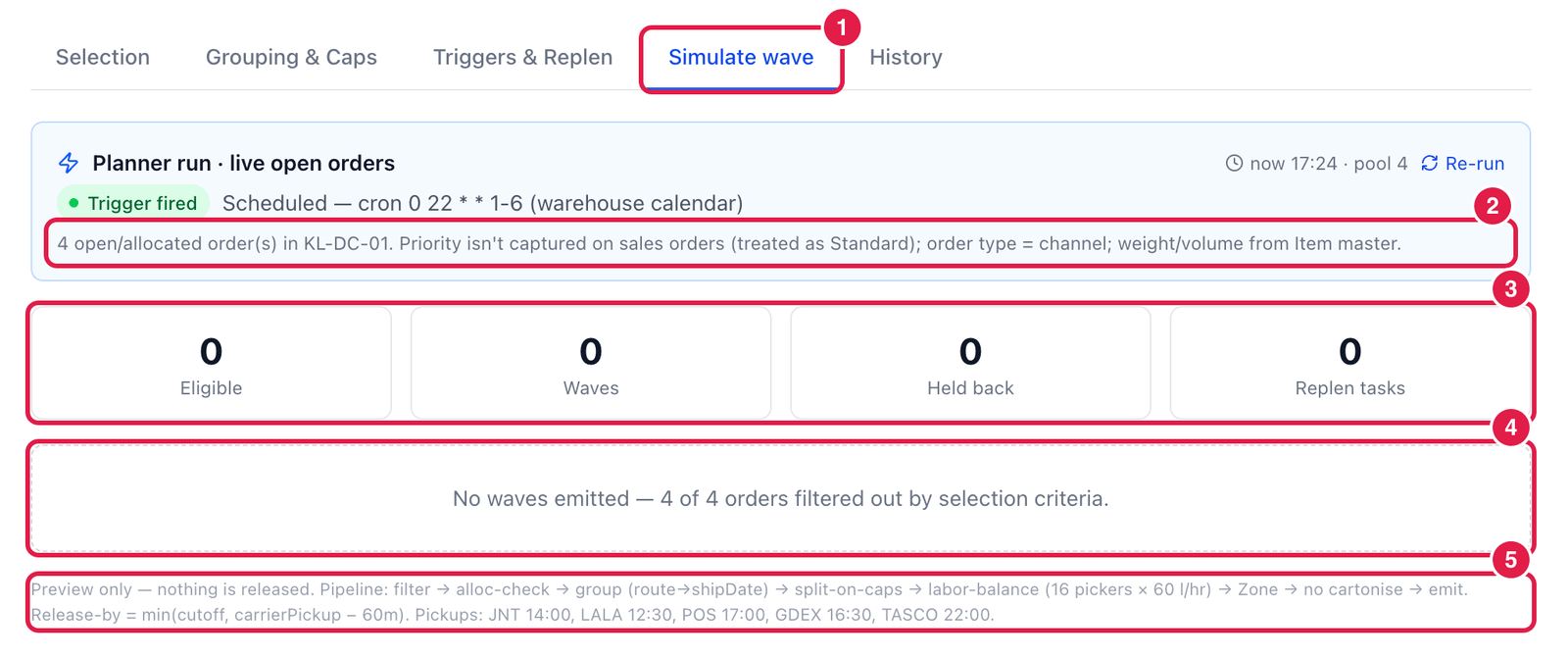
- Simulate wave tab.
- Order pool — how many open / allocated orders exist in the warehouse right now.
- Results — orders that are eligible, how many waves the planner would create, how many orders are held back, and how many replenishment tasks would be raised.
- Explanation — here 4 of 4 orders filtered out by selection criteria: none of today's orders match this template (for example a different order type or carrier).
- Pipeline — the steps the planner ran, the pickers and pick rate used, and the latest release time (release-by) before each carrier's pickup.
Open Selection and compare it with your real orders. The most common reasons are an order type or channel that is not ticked, a carrier / service that differs, or a ship date outside the window.
Good to know
- Only Active templates can be used to plan and release waves.
- A wave can also be released without a template on the Waves screen (a manual wave).
- A template can belong to one warehouse or cover several. Duplicate (⋯ menu) copies one to start a similar template.