Allocation
Allocation reserves stock for an order: for every order line PrismaWMS chooses which bins and which lots to take, and reserves that quantity so no other order can use it. The choice follows your allocation strategy — FEFO or FIFO, minimum shelf life, pick faces only — and the item's own rotation rule. Allocation does not move stock; it only reserves it for picking.
Where: Outbound → Allocation
How a line is allocated
If an item is set to FEFO in the item master, PrismaWMS always takes the earliest expiry first — even when the strategy says something else. A line that asks for a specific lot or a minimum remaining life % only gets stock that meets it.
The allocation list
The list shows order lines, not whole orders.
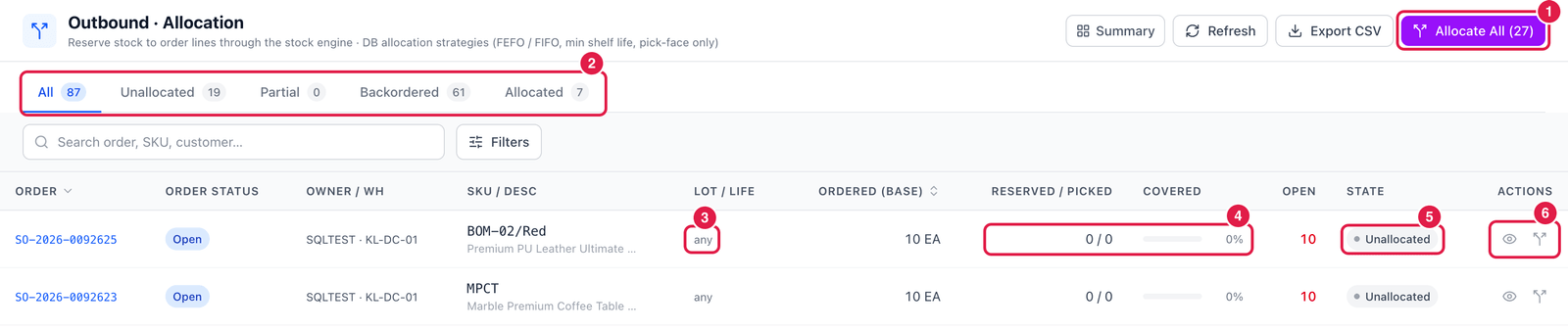
- Allocate All — allocate every open order at once. You get a result per order (allocated, partial, short).
- Tabs — Unallocated, Partial, Backordered, Allocated, or All.
- Lot / Life — what the line asks for: any lot, a specific lot, or a minimum remaining life %.
- Reserved / Picked and Covered — how much is reserved and already picked, and the percentage of the line that is covered.
- State — Unallocated, Partial, Allocated or Backordered.
- Actions — Reservations (eye) and Allocate order. Once an order is allocated, you also get Re-allocate order and Unallocate order.
Allocating a single order is also possible from the Order Pool (Allocate action).
See exactly what was reserved
Click Reservations (eye icon) on a line.
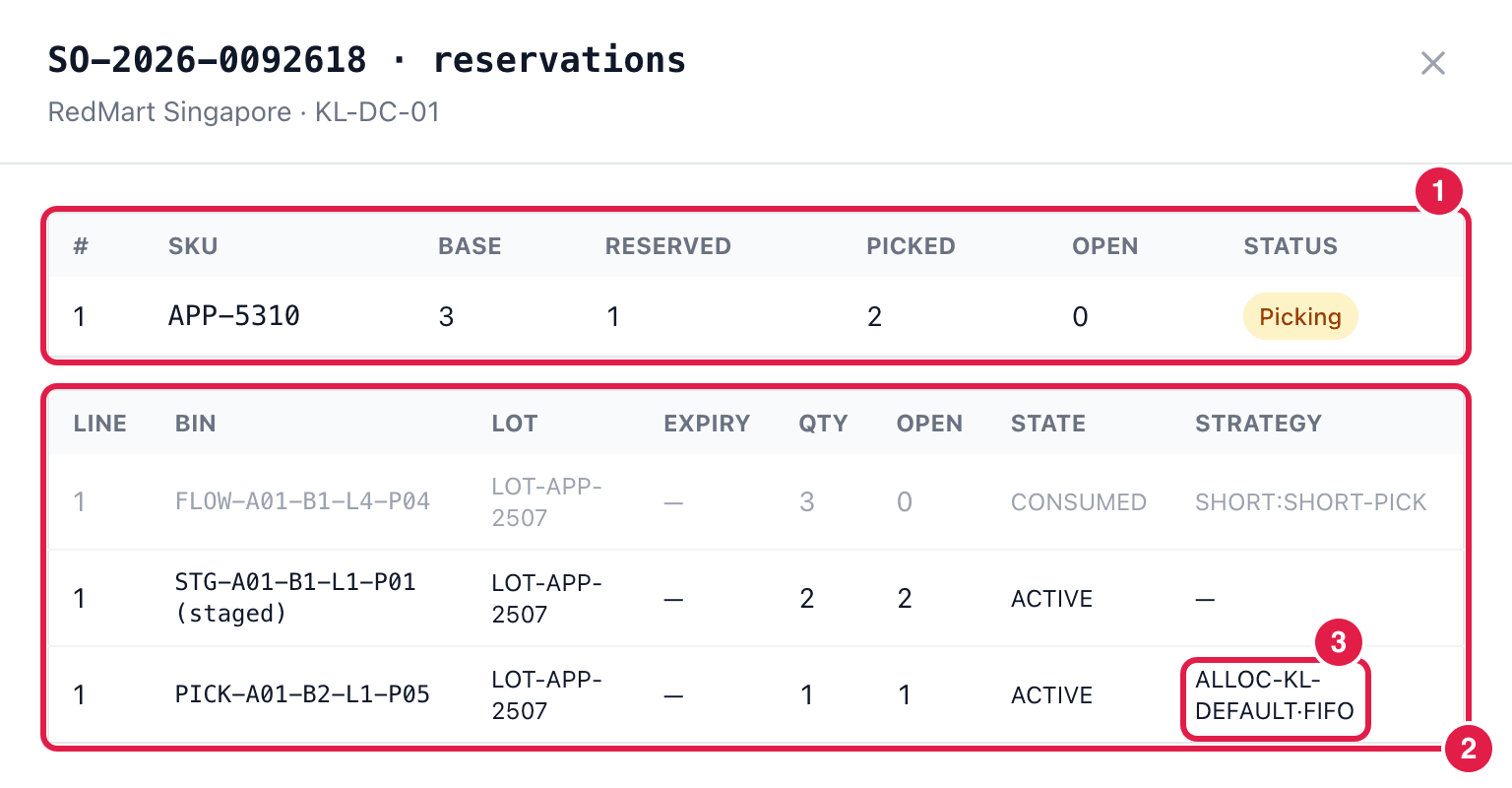
- Per line — ordered (base), reserved, picked, still open, and the order status.
- Reservation rows — every bin and lot the stock was taken from, with its quantity and state:
- ACTIVE — reserved, waiting to be picked (or already staged, marked (staged));
- CONSUMED — used up, e.g. by a pick or a short pick.
- Strategy — which strategy and rule chose this stock, e.g. ALLOC-KL-DEFAULT·FIFO.
When there is not enough stock
- The line becomes Partial (some reserved) or Backordered (nothing available).
- If the order allows backorders, use Split backorder on the order (Order Pool → View): the available part ships now, the rest becomes a new backorder sales order.
- Unallocate releases all reservations of an order — for example to change its lines.
- Re-allocate releases and allocates again, useful after stock was moved or received.
Run Allocate All after receiving goods: orders that were short may now be covered.