Picking
Every pick task says where to go (bin), what to take (SKU and lot) and how many. The picker scans the bin and the lot and confirms; the units move from the bin to outbound staging, ready for packing. When the bin holds less than expected, the picker records a short pick with a reason — PrismaWMS can then look for the shortfall in another bin automatically.
Where: Outbound → Picking (and on the PDA app)
A pick task
The pick task list
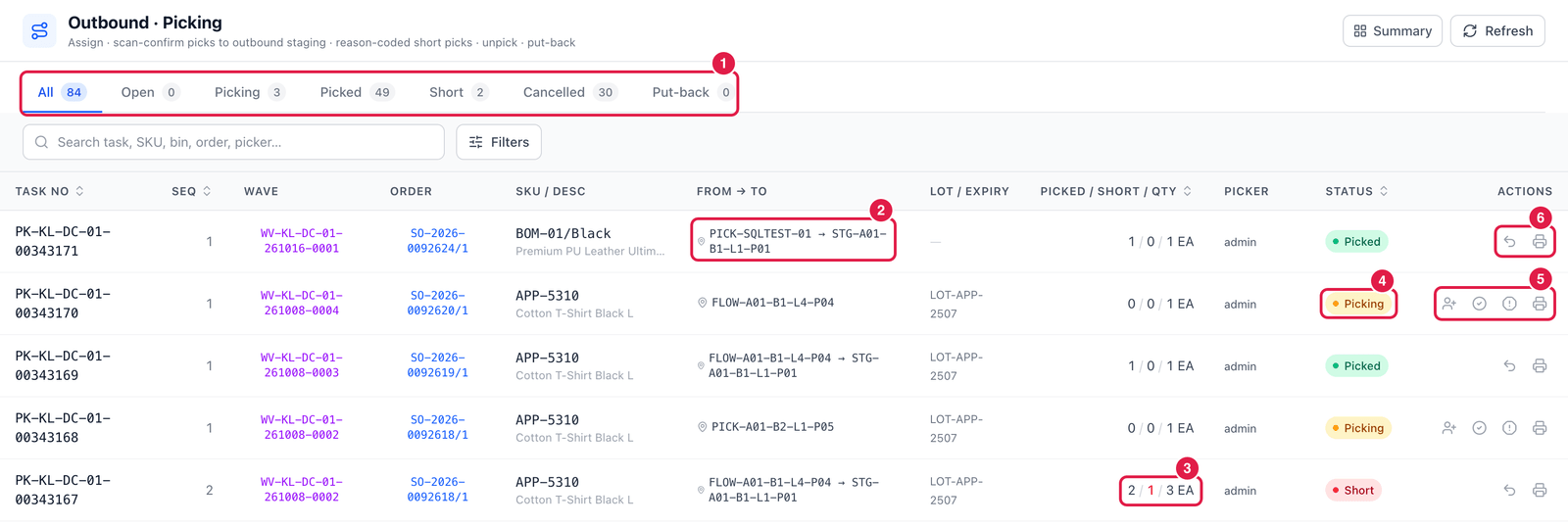
- Status tabs — Open, Picking, Picked, Short, Cancelled, and Put-back (staged units that must go back to stock because their order was cancelled).
- From → To — the bin to pick from and, once picked, the staging bin it went to.
- Picked / Short / Qty — here 2 picked, 1 short, of 3.
- Status of the task.
- Actions of an open task — Re-assign (another picker), Confirm pick, Short pick and Print wave pick list.
- Actions of a picked task — Unpick (reverse) and Print wave pick list.
Confirm a pick
Click Confirm pick (tick icon).
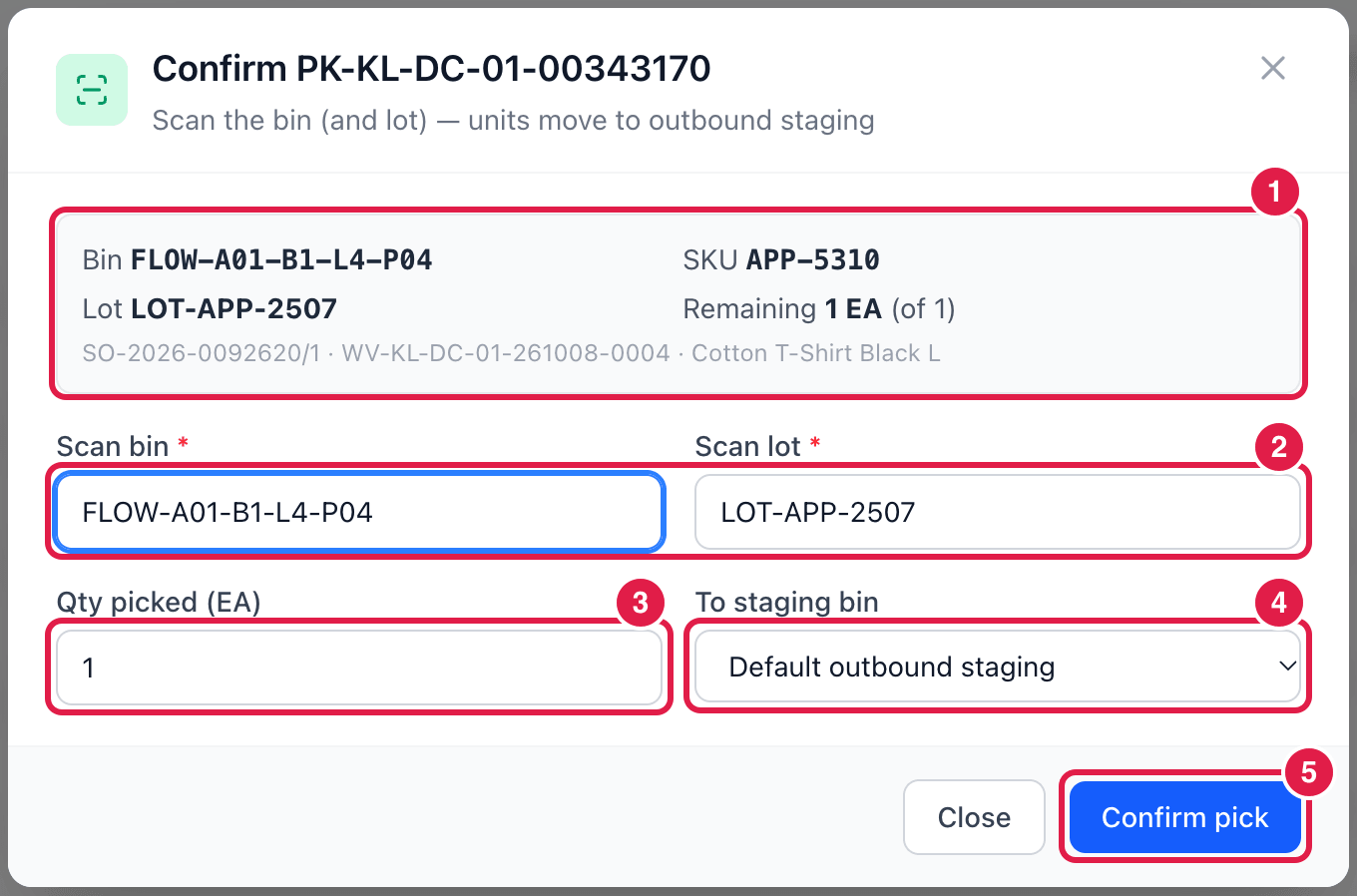
- What to pick — bin, SKU, lot and the quantity remaining, with the order line and wave.
- Scan bin and Scan lot — scan (or type) the bin label and the lot on the goods. PrismaWMS checks that they match the task: picking from another bin or another lot is refused (short-pick instead).
- Qty picked — how many you took.
- To staging bin — where you put them down; Default outbound staging is usually right.
- Confirm pick — the units move to the staging bin and the order line counts them as picked.
Record a short pick
When the bin holds less than the task asks for, click Short pick (exclamation icon).
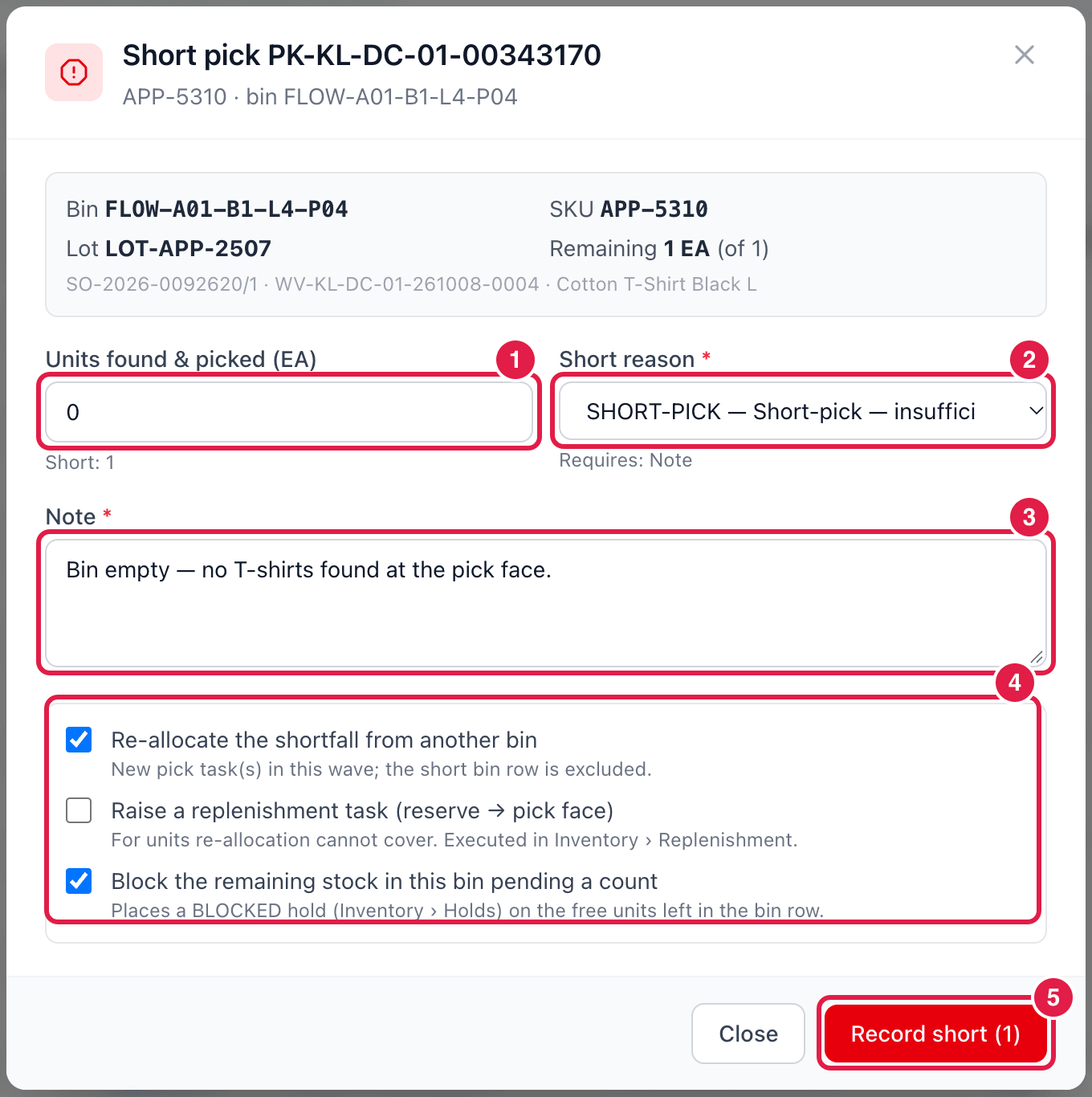
- Units found & picked — what you actually took (here 0). The rest is short.
- Short reason — e.g. SHORT-PICK — insufficient stock at face or FACE-OOS — replen miss. Under it, Requires: Note shows what the reason demands.
- Note — what you found at the bin.
- What to do about the shortfall:
- Re-allocate the shortfall from another bin — new pick task(s) in the same wave;
- Raise a replenishment task — for what re-allocation cannot cover;
- Block the remaining stock in this bin pending a count — puts a hold on what is left in the bin, so it is not allocated again until it has been counted.
- Record short — save. If the reason requires approval, the short waits in Inventory → Approvals.
Good to know
- Unpick (reverse) puts the picked units back into the bin they came from — only before they are packed.
- On the PDA app, the picker scans the bin and lot instead of typing; the same checks apply.
- If your process ships from Picked (packing off), confirmed picks can go straight to shipping.