Shipping & Docs
The Shipping Desk is the last step: packed cartons become a shipment with a carrier service (chosen with rate-shop), a delivery note (DN) and a bill of lading (BOL). When the shipment is shipped, the stock is issued out of the warehouse. Later you record the proof of delivery (POD). For orders from your ERP, a shipment confirmation is queued for that system automatically.
Where: Outbound → Shipping & Docs
From cartons to delivered
The shipping desk
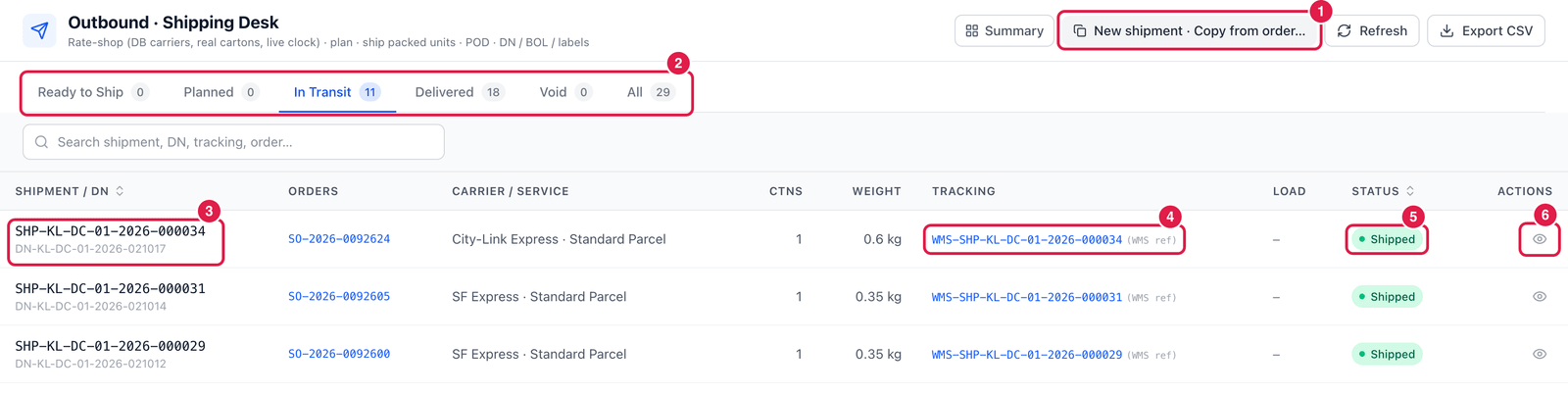
- New shipment · Copy from order… — start a shipment from an order directly.
- Tabs:
- Ready to Ship — packed or staged cartons that are not on a shipment yet, grouped by customer;
- Planned, In Transit, Delivered, Void, All.
- Shipment / DN — the shipment number and its delivery-note number.
- Tracking — the tracking number. (WMS ref) means it is PrismaWMS's own reference, not a number issued by the carrier.
- Status — Planned, Shipped, Delivered or Void.
- Open — open the shipment.
Create and ship a shipment
- On Ready to Ship, choose the customer's cartons and start a shipment.
- PrismaWMS runs rate-shop on the real cartons (weight and size) with your carriers, zones and rate cards, and recommends a service — see Carriers & Services. Choose the carrier service.
- Create & ship — the shipment gets its numbers (
SHP-…,DN-…,BOL-…) and is shipped at once. Or Create shipment to plan it first and ship it later — when your process uses loading, the shipment is shipped when its load is dispatched.
Only packed units ship. If part of an order is not packed yet, that part stays open and can ship later.
The shipment
Click Open on a shipment.
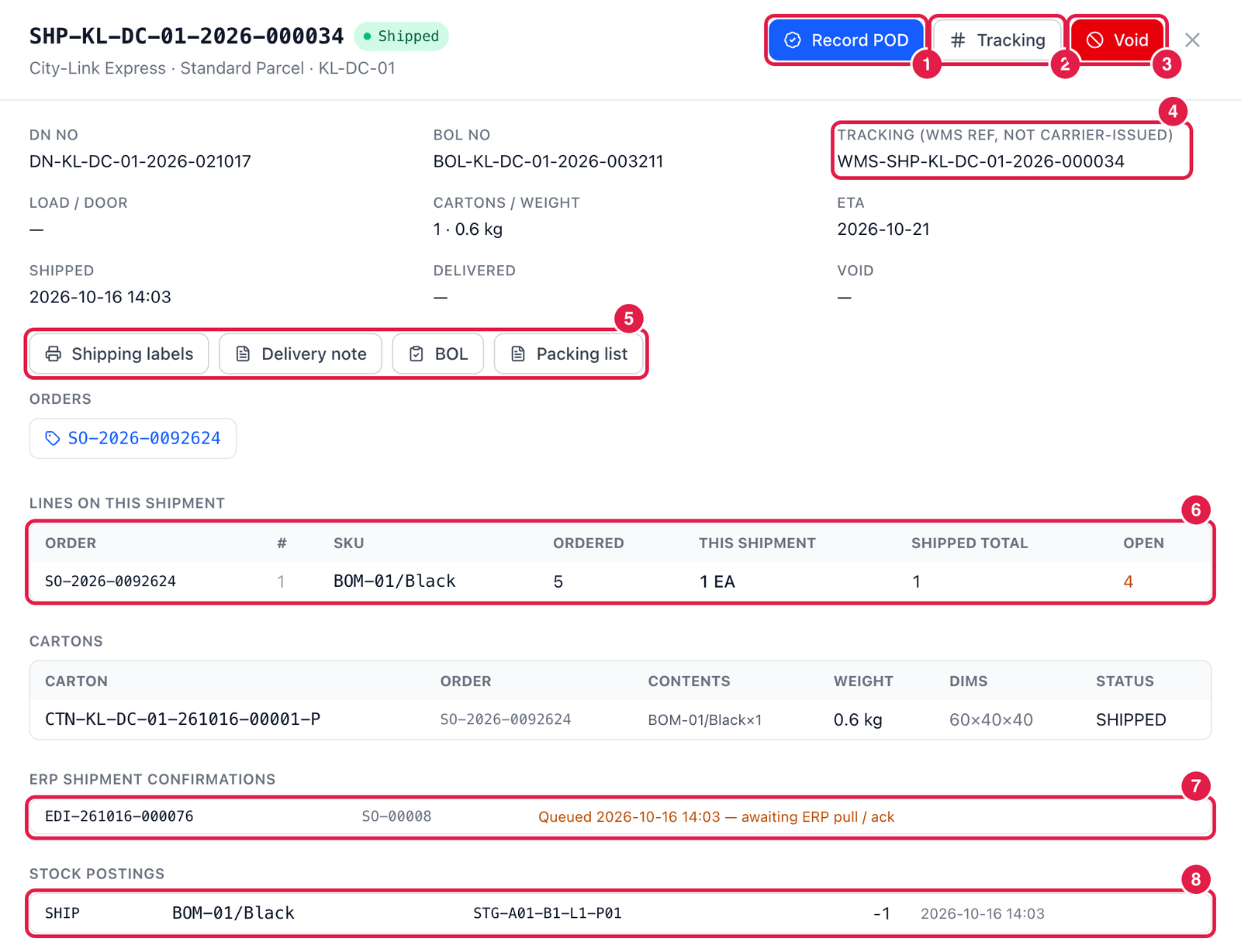
- Record POD — enter when it was delivered, who signed, and the POD reference. The shipment becomes Delivered.
- Tracking — enter the carrier's real tracking number (6–40 letters, digits or dashes), or keep the internal WMS reference.
- Void — undo the shipment (with a reason): the stock goes back to the staging bin and is reserved again for the order.
- Tracking number — here a WMS reference, not carrier-issued.
- Documents — print Shipping labels, the Delivery note, the BOL and the Packing list.
- Lines on this shipment — per order line: ordered, in this shipment, shipped in total, and still open (here 4 of 5 are still to ship).
- ERP shipment confirmations — for orders that came from your ERP (here SQL Accounting order SO-00008), the confirmation message and its state: Queued — awaiting ERP pull / ack.
- Stock postings — the stock issue for each carton line: SKU, bin and quantity (−1).
PrismaWMS does not call carrier systems. The tracking number is either entered by you (from the carrier's label or portal) or PrismaWMS's own reference. The tracking link in the carrier master uses whatever number is stored.
Good to know
- Ship confirm from Picked (process setting) lets orders ship straight from picking, without packing.
- For SQL Accounting, the Delivery Order is posted to SQL Accounting from Administration → Integrations (Preview → Send), using these shipments.
- A shipment can be voided until it is delivered. After delivery, goods coming back are handled as a customer return (VAS & Production → Returns / RMA).