Waves
A wave is a group of allocated orders that is released to the pickers together. Releasing a wave turns every reservation into a pick task (from bin to outbound staging). Waves are planned with a wave template: it chooses the orders, splits them by the caps, and decides what to do when a pick face is empty.
Where: Outbound → Waves
From allocated orders to pick tasks
Plan and release a wave
Open the Plan & Release tab.
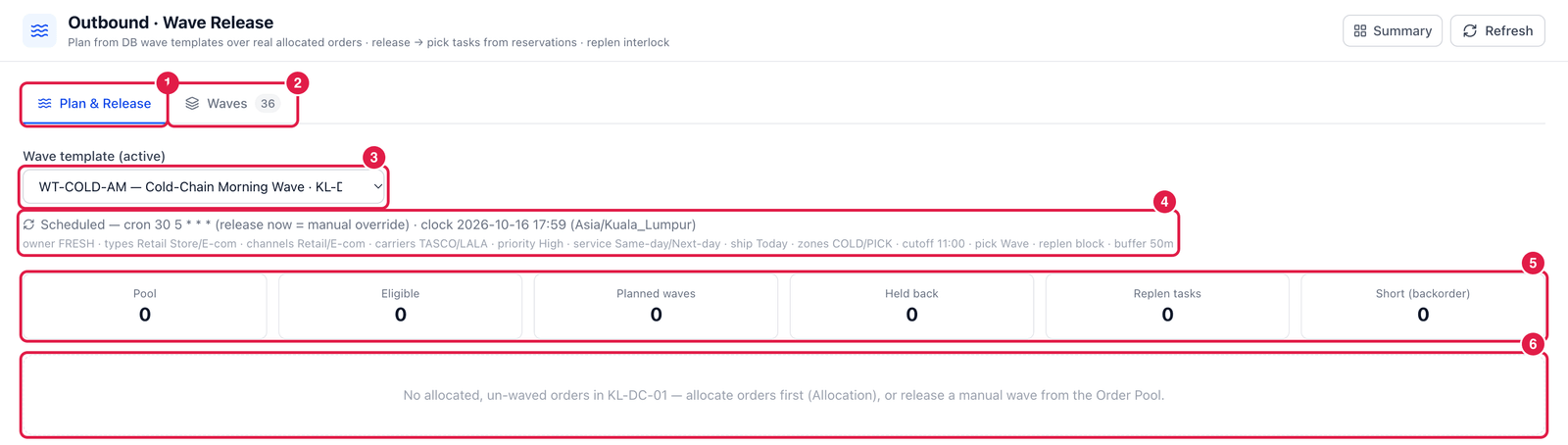
- Plan & Release tab.
- Waves tab — all released waves (next section).
- Wave template — only active templates are listed.
- Template summary — its release mode and selection: owner, order types, channels, carriers, priority, ship date, zones, cut-off, pick method, replenishment rule.
- Plan figures — Pool (allocated orders not yet in a wave), Eligible (matching the template), Planned waves, Held back, Replen tasks needed and Short.
- Result — here there are no allocated orders waiting in KL-DC-01, so there is nothing to release: allocate orders first. When orders are eligible, each planned wave appears as a card with its orders, lines, units and release-by time, and a Release button.
Orders that do not match the template are held back with the reason. With the replenishment rule block, the Release button stays disabled until the pick faces are replenished (see Wave Templates).
If your process has waves off, picks are released per order from the Order Pool; they still appear here as small waves with template ORDER. A wave released without a template shows MANUAL.
The waves list
Open the Waves tab.
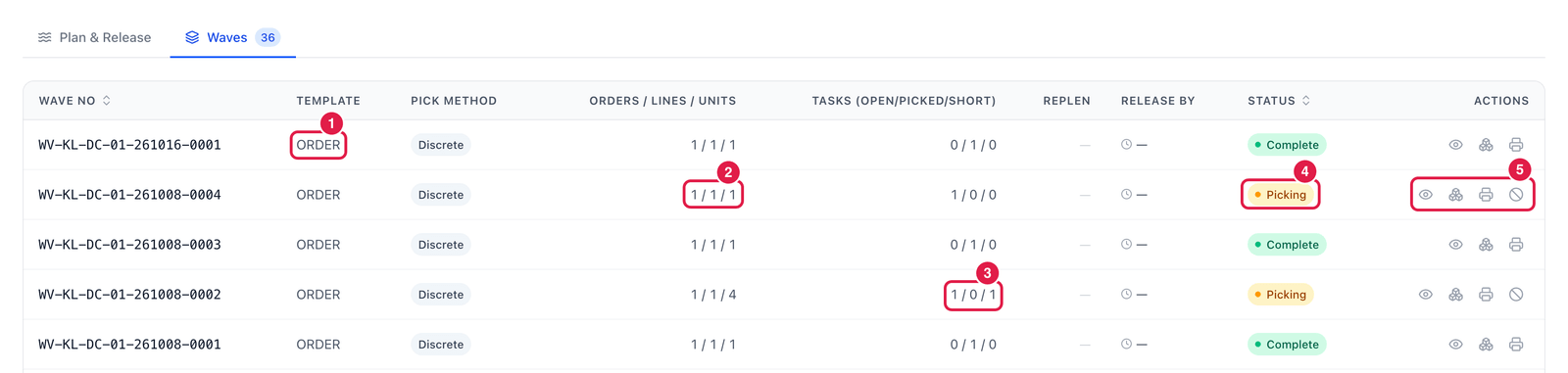
- Template — the wave template used, or ORDER / MANUAL.
- Orders / Lines / Units in the wave.
- Tasks (open / picked / short) — progress of the pick tasks. Here 1 / 0 / 1: one task still open, one short-picked.
- Status — Released, Picking or Complete.
- Actions — Details, Open picking (go to the pick tasks), Print pick list and Cancel wave.
Wave details
Click Details on a wave.
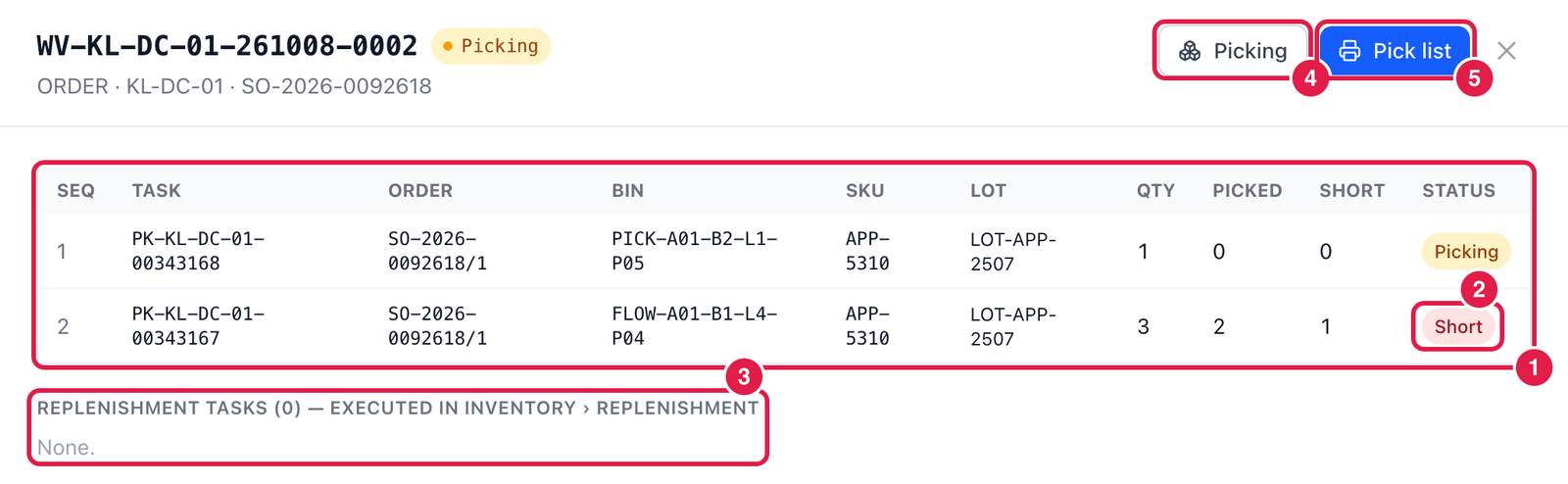
- Pick list — every pick task in walking sequence: task number, order line, bin, SKU, lot, quantity, picked and short.
- Status of a task — e.g. Short: the picker found less than expected.
- Replenishment tasks created by this wave (they are executed in Inventory → Replenishment).
- Picking — open the picking screen for this wave.
- Pick list — print the pick list for the picker.
Good to know
- Cancel wave is possible while no task is half-picked — confirm or short-pick started tasks first. Open tasks and the wave's replenishment tasks are cancelled, the orders leave the wave and keep their reservations, so they can be waved again.
- The caps of a wave (orders, lines, units, weight, pickers) come from the template.