Labour Optimizer
The Labour Optimizer shows how the open work is spread over your team, measures real productivity from the start and finish times of completed tasks (last 14 days), and suggests hand-offs when one person has far more open tasks than the crew average. Only measured numbers are shown: when there is too little timed data, it says so.
Where: AI & Automation → Labor Optimizer
The screen
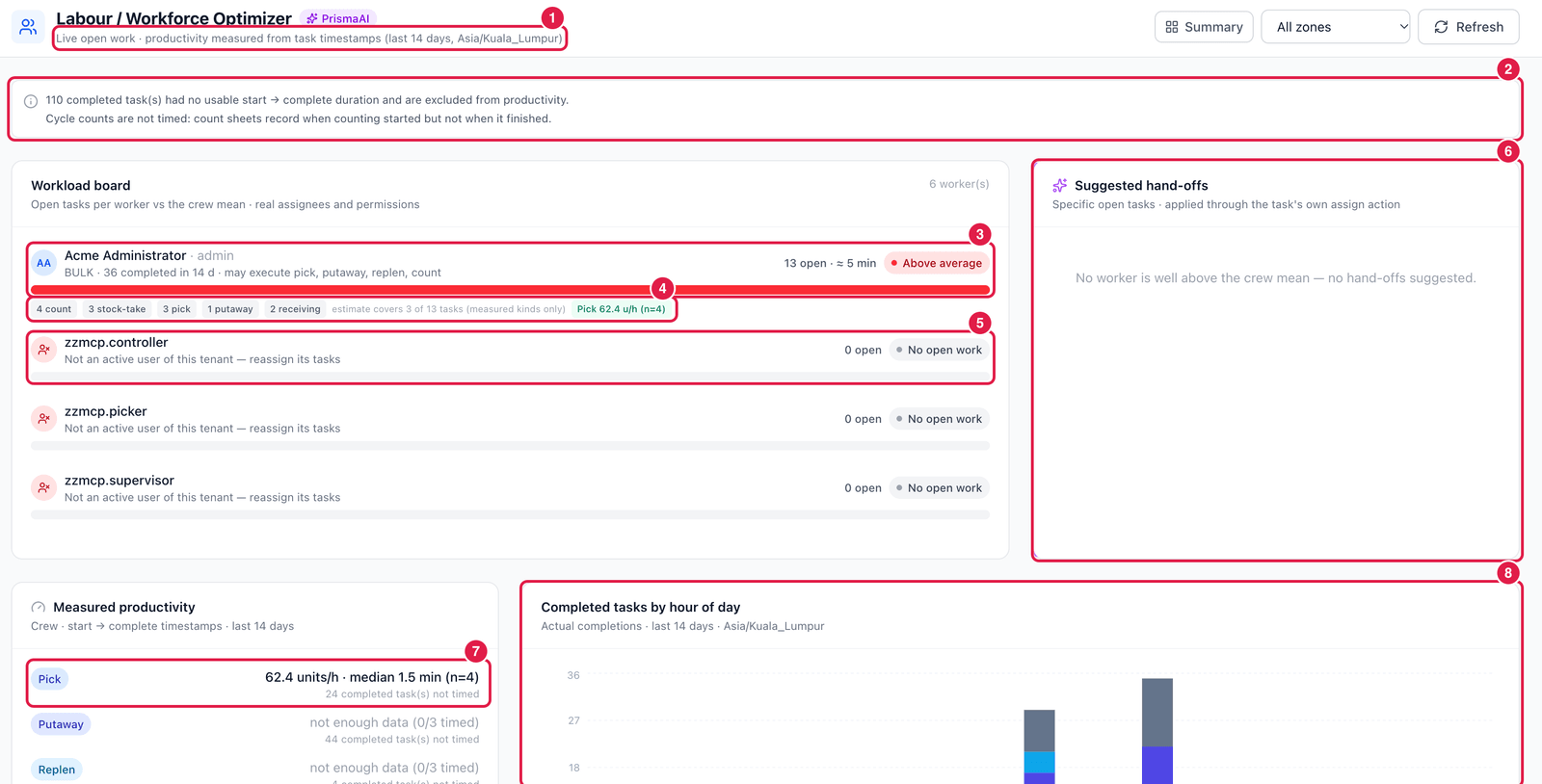
- Basis — live open work; productivity measured from task timestamps over the last 14 days, in your time zone.
- Data quality note — how many completed tasks could not be timed (no start time) and are left out, and which kinds of work are never timed.
- Worker — name, zone, tasks completed in 14 days and which kinds of task this person may do (from their permissions); open tasks, estimated time, and a flag (Above average, Below average).
- Open work by type — count, stock-take, pick, putaway, receiving…, and the measured pick rate.
- Inactive user — tasks still assigned to someone who is no longer an active user. Reassign them.
- Suggested hand-offs — specific tasks to move from an overloaded worker to one who may do that kind of work. Applying a hand-off uses the task's normal assign action.
- Measured productivity — units per hour and median minutes per task type, with how many tasks it is based on; not enough data when fewer than the minimum were timed.
- Completed tasks by hour of day — when the work actually gets done.
Privacy
An administrator can switch on mask worker names (Model Center → Parameters & governance). Labour insights and exports then show Worker #… instead of names.